The Valve Index VR headset remains a top contender for high-fidelity, PC-based virtual reality in 2025, particularly for enthusiasts prioritizing visual smoothness, precise tracking, and immersive audio. Despite newer wireless competitors, its 144Hz refresh rate, 130-degree field of view, and advanced Knuckles controllers offer a premium, tethered experience that excels in performance and immersion for dedicated VR users.
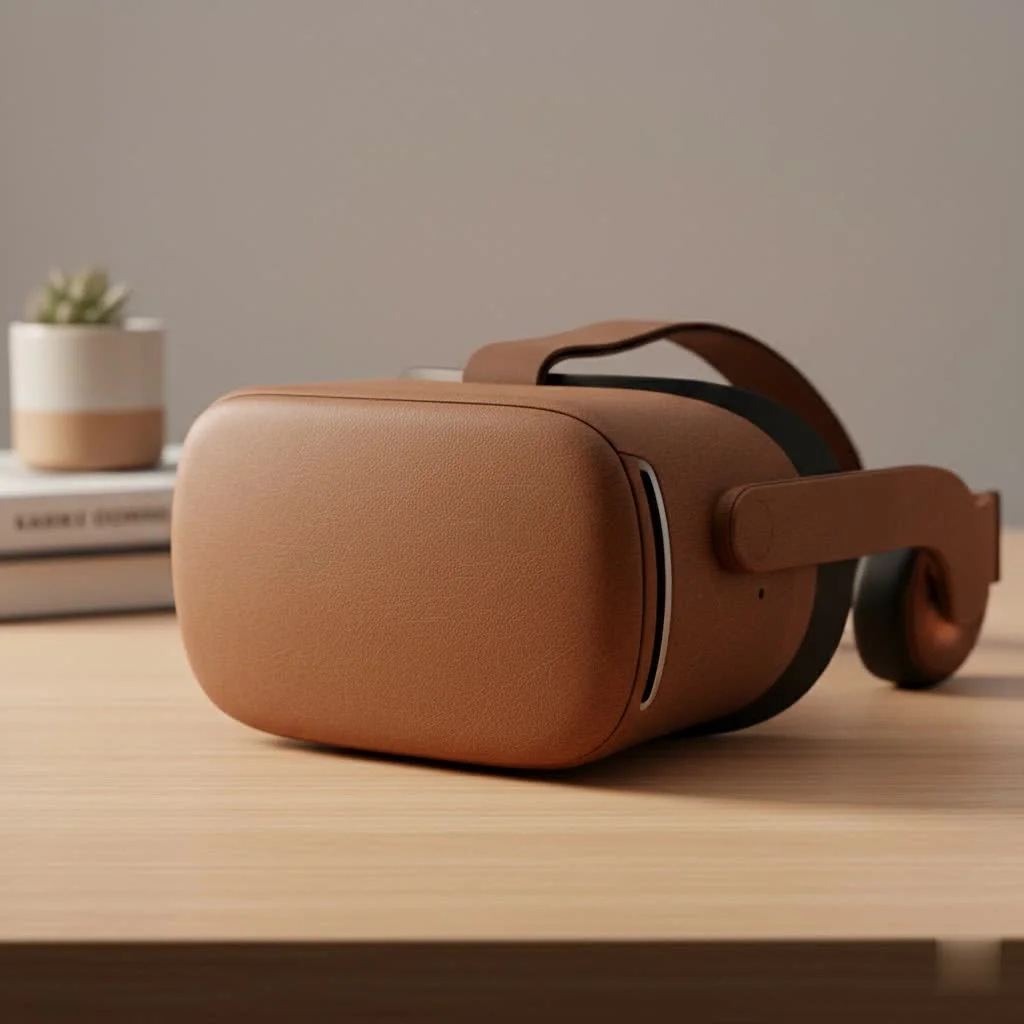
The Index was designed for gamers and developers who prioritize quality in their virtual experiences. Even years after its debut, certain aspects of its design remain class-leading, cementing its legacy as a pivotal piece of hardware in consumer VR.
What Makes the Valve Index a Premium VR Headset?
The Valve Index VR headset differentiates itself by focusing on three core pillars: visual fidelity, audio immersion, and interactive precision. Unlike standalone headsets that prioritize portability, the Index is an unapologetically tethered PC VR system, dedicating all its power to delivering the most immersive experience possible. This focus has allowed it to maintain a dedicated following among serious VR users.
Unmatched Visual Smoothness and Field of View
While newer headsets may boast higher resolutions on paper, the Index’s magic lies in its motion clarity and expansive field of view (FOV). The dual 1440×1600 LCD panels deliver a crisp image with a superior RGB subpixel layout that significantly reduces the “screen-door effect,” where the gaps between pixels become visible.
The real star of the show is the refresh rate. The Index can run at 80, 90, 120, and even an experimental 144Hz. This high refresh rate results in incredibly smooth motion, which not only enhances realism but can also reduce motion sickness for many users. Combined with an FOV that can reach up to 130 degrees, far wider than many competitors, the Index provides a truly panoramic and comfortable viewing experience.
The Revolutionary Knuckles Controllers
Perhaps the most iconic component of the Valve Index system is its controllers, affectionately known as the “Knuckles.” These controllers are a marvel of ergonomic design and technical innovation. Instead of being simply held, they strap securely to your hands, allowing you to completely let go without dropping them.
This design enables a more natural and intuitive way to interact with virtual objects. More importantly, each controller is equipped with 87 sensors that track the position of your individual fingers. This allows for realistic hand and finger gestures, from giving a thumbs-up to delicately picking up a small object. This level of tracking fidelity remains a standout feature that few other controllers can fully replicate.
Gold-Standard Audio and Tracking
|
Our Picks for the Best VR Headset in 2026
As an Amazon Associate I earn from qualifying purchases.
|
||
| Num | Product | Action |
|---|---|---|
| 1 | DESTEK V5 VR Headset for Kids w/VR Gamepad, 128 Premium VR apps Included, Anti-Blue Eyes Protected HD Lenses, 110° FOV Virtual Reality Headsets for iPhone, Android Phone- Black |

|
| 2 | VR Headset for Nintendo Switch 2 (2025), Switch 2 Virtual Reality VR Glasses with Adjustable HD Lenses and Comfortable Head Strap, Labo VR Kit 3D Goggles for Switch 2 Accessories, White&Blue |
|
| 3 | Meta Quest 2 — Advanced All-In-One Virtual Reality Headset — 256 GB (Renewed) |
|
| 4 | VR Headset for Phone, Virtual Reality Glasses with Bluetooth Headphones for Adults and Kids Play 3D VR Games Movies (White VR Only) |
|
| 5 | PlayStation VR2 (PSVR2) |
|
| 6 | PlayStation VR2 Horizon Call of The Mountain™ Bundle (PSVR2) |
|
| 7 | FEEBZ 3D VR Headset for Kids 2.0 + Android Remote - for iPhone & Android Phones - with 3D VR Videos & Apps Links - Virtual Reality Goggles Set for Beginners |
|
| 8 | Oculus Quest 2 Advanced All-in-One Virtual Reality Gmaing VR Headset 128GB Set, White |
|
| 9 | FEEBZ 3D VR Headset for Kids 2.0 + Android Remote - for iPhone & Android Phones - with 3D VR Videos & Apps Links - Virtual Reality Goggles Set for Beginners |
|
| 10 | Oculus Quest 2 VR Headset 128GB Holiday Set - Advanced All-in-One Virtual Reality Headset Cover Set, White |
|
Valve made a brilliant decision with the Index’s audio solution. Instead of on-ear headphones, it features near-field, off-ear speakers. These custom-designed Balanced Mode Radiators (BMRs) deliver rich, spatialized sound without touching your ears. The result is immersive audio that doesn’t cause discomfort or heat buildup during long play sessions, a common complaint with traditional headphone designs.
For tracking, the Index relies on SteamVR Base Stations. While this requires setting up external sensors in your room, the payoff is unparalleled precision and reliability. The “lighthouse” system blankets your play area with lasers, allowing the headset and controllers to know their exact position with sub-millimeter accuracy. This outside-in tracking method is robust, consistent, and free from the occasional hiccups that can affect camera-based inside-out tracking systems.
“The Valve Index remains a critical benchmark for PC VR enthusiasts,” notes Dr. Alistair Finch, a leading VR hardware analyst. “Its combination of a high refresh rate display, precise base station tracking, and the intuitive finger-tracking of the Knuckles controllers creates a level of immersion that is still hard to beat for dedicated simulation and gaming.”
Is the Valve Index VR Headset a Smart Buy Today?
With formidable new headsets on the market, the value proposition of the Valve Index has shifted. Its original premium price point now competes with newer technology, including high-resolution wireless headsets. The decision to invest in an Index in 2025 depends heavily on your priorities as a VR user.
Performance vs. Price: The Core Debate
The full Valve Index kit, which includes the headset, two Knuckles controllers, and two Base Station 2.0s, remains a significant investment. For that price, you could purchase a newer standalone headset with wireless PC VR capabilities.
However, the Index’s performance is still in a class of its own for certain metrics. If your primary goal is the smoothest, most responsive, and most accurately tracked PC VR experience—especially for fast-paced games like competitive shooters or rhythm games—the Index’s high refresh rate and lighthouse tracking are major advantages. Wireless solutions, while convenient, introduce latency and compression artifacts that the Index’s direct DisplayPort connection avoids entirely.
Who is the Valve Index For?
The ideal Valve Index user in 2025 falls into a few specific categories:
- The VR Enthusiast: For those who want a dedicated, high-performance PC VR setup and prioritize tracking fidelity and motion smoothness above all else.
- Simulation Fans: Players of flight simulators, racing sims, or other seated experiences who will benefit from the high refresh rate and wide FOV.
- Full-Body Tracking Users: The SteamVR tracking ecosystem is the easiest and most popular for adding full-body tracking pucks, making it the top choice for social VR users and developers who need this capability.
- Developers: The system’s reliability and robust tracking make it an excellent platform for developing and testing VR content.
For casual users or those new to VR, the setup complexity and high cost of the Valve Index might be a barrier. A more accessible, all-in-one headset could be a better starting point.
A Quick Guide to Setting Up Your Valve Index
Setting up the Valve Index VR headset is more involved than a standalone device but is straightforward with a little planning.
- PC Requirements: First, ensure your PC is VR-ready. You’ll need at least a quad-core processor, a GeForce GTX 1070 or better, and available DisplayPort 1.2 and USB 3.0 ports.
- Base Station Placement: Mount the two Base Stations in opposite corners of your play space, ideally above head height and angled down. They need power but do not connect to the PC.
- Connect the Headset: Plug the headset’s DisplayPort and USB cables into your computer and the power adapter into a wall outlet.
- Launch SteamVR: Open Steam and launch SteamVR. It will guide you through pairing your controllers and defining your play area.
- Room Setup: Follow the on-screen instructions to trace the boundary of your safe play space. Once complete, you’re ready to jump into virtual reality.
Frequently Asked Questions (FAQ)
What games work with the Valve Index?
The Valve Index works with any game or application on the SteamVR platform, which is the largest library of PC VR content available. This includes flagship titles like Half-Life: Alyx, Boneworks, and Blade & Sorcery.
Can I use the Valve Index without the Base Stations?
No, the Valve Index headset and controllers require SteamVR Base Stations for tracking. They cannot function without them, but you can use either the 1.0 or 2.0 versions of the Base Stations.
Is the Valve Index comfortable for people who wear glasses?
Yes, the headset is designed to accommodate most eyeglasses. The eye relief dial allows you to move the lenses further from your face to create more space, and the generous face gasket provides a comfortable fit.
How much space do I need for the Valve Index?
To take full advantage of room-scale tracking with the Valve Index, a minimum space of 2 meters by 1.5 meters (6.5 feet by 5 feet) is recommended. However, it can also be used in seated or standing-only modes.
Can I buy parts of the Valve Index kit separately?
Yes, Valve sells the headset, Knuckles controllers, and Base Stations individually. This is beneficial for users upgrading from an older SteamVR headset like the HTC Vive who may already own Base Stations.
Final Thoughts
The Valve Index VR headset remains a remarkable piece of engineering that still offers a top-tier experience for a specific type of user. While it may no longer be the undisputed king of consumer VR in every category, its strengths in comfort, audio, motion clarity, and tracking precision are undeniable.
For the dedicated PC VR gamer who wants a robust, high-performance system and is willing to invest in the setup, the Index is still a fantastic and relevant choice. It represents a commitment to an uncompromising virtual reality experience. If you value smooth, responsive gameplay and the unparalleled interaction of the Knuckles controllers, the Valve Index continues to be a worthy centerpiece for your virtual adventures.
Frequently Asked Questions
What games and applications are compatible with the Valve Index?
The Valve Index is compatible with all games and applications available on the SteamVR platform, which boasts the largest library of PC VR content. This includes popular titles such as Half-Life: Alyx, Boneworks, and Blade & Sorcery.
Is it possible to use the Valve Index without its required Base Stations?
No, the Valve Index headset and its controllers require SteamVR Base Stations for accurate tracking and cannot function without them. Users can utilize either the 1.0 or 2.0 versions of the Base Stations.
Does the Valve Index VR headset offer a comfortable experience for glasses wearers?
Yes, the Valve Index headset is designed to accommodate most eyeglasses comfortably. It features an eye relief dial that allows users to adjust the distance of the lenses from their face, creating more space for glasses, complemented by a generous face gasket.
What is the recommended play space size for the Valve Index?
For optimal room-scale tracking with the Valve Index, a minimum play space of 2 meters by 1.5 meters (approximately 6.5 feet by 5 feet) is recommended. However, the headset can also be used effectively in seated or standing-only modes.
Can individual components of the Valve Index kit be purchased separately?
Yes, Valve offers the headset, Knuckles controllers, and Base Stations for individual purchase. This flexibility is particularly useful for users upgrading from an older SteamVR headset, such as the HTC Vive, who may already own compatible Base Stations.
Setting Up Your Valve Index VR Headset
This guide provides a straightforward procedure for setting up your Valve Index VR headset, ensuring you meet PC requirements and properly install all components for an optimal virtual reality experience.
Before starting, ensure your PC meets the minimum specifications for VR. You will need at least a quad-core processor, a GeForce GTX 1070 or better graphics card, and available DisplayPort 1.2 and USB 3.0 ports.
Mount the two SteamVR Base Stations in opposite corners of your designated play space. Ideally, they should be positioned above head height and angled downwards. These stations require power but do not connect directly to your PC.
Plug the headset's DisplayPort and USB cables into the appropriate ports on your computer. Then, connect the power adapter for the headset into a wall outlet to supply power.
Open the Steam application on your PC and launch SteamVR. The software will then guide you through the process of pairing your Knuckles controllers and defining the boundaries of your virtual play area.
Follow the on-screen instructions within SteamVR to trace the safe boundary of your physical play space. Once this room setup is complete, your Valve Index system will be ready for use, allowing you to immerse yourself in virtual reality.
Get our weekly buyer guide
Practical specs, not advice. Unsubscribe anytime.
I’ve had my Valve Index for about a year now, and it’s still incredible. The 144Hz refresh rate really makes a difference, especially in fast-paced games. I was worried about the tethered experience compared to wireless, but the immersion is so good I barely notice it. Definitely worth the investment for serious PC VR gaming.
The Knuckles controllers are a game-changer, no pun intended. The finger tracking adds so much to the experience, making interactions feel really natural. The 130-degree field of view is also a huge plus for immersion. My only minor gripe is the setup can be a bit finicky, but once it’s dialed in, it’s fantastic.
I bought the Index after hearing so much about its premium features. While the visual fidelity is great, I found the comfort to be a bit lacking for longer sessions. It’s a heavy headset, and I sometimes get pressure points on my face. For the price, I expected it to be a bit more comfortable for extended use, even with the excellent audio.
As a developer, the Valve Index has been invaluable. The precise tracking and overall performance are exactly what I need for testing and creating VR experiences. It truly delivers on the promise of a high-fidelity, PC-based VR system. Even with newer headsets coming out, the Index holds its own for quality.