Welcome to the cutting edge of digital interaction. If you’ve ever dreamed of stepping inside a video game or collaborating in a virtual workspace, the Meta Quest VR headset is your all-in-one portal to those worlds and beyond. As a standalone device, it has revolutionized the virtual reality landscape by removing the need for an expensive PC or external sensors, offering unparalleled freedom to explore, play, and create. This guide will walk you through everything that makes the Quest platform a dominant force in the VR market.
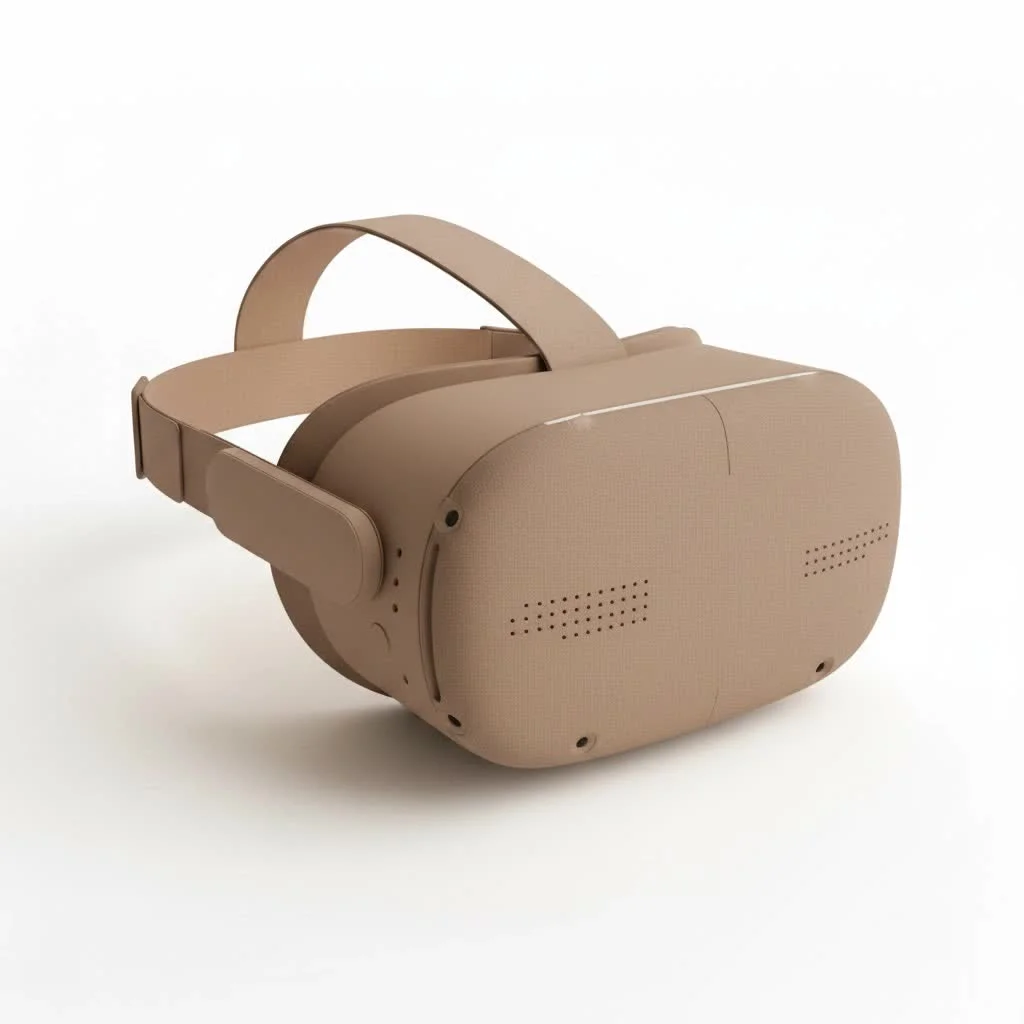
At MNWFC, we believe in empowering users with clear, expert knowledge. My decade of experience with VR technology has shown me that the best device is one that seamlessly blends power with ease of use. The Quest VR headset lineup, especially with the advancements in the Quest 3, perfectly embodies this principle, making high-end virtual and mixed reality more accessible than ever before.
What Makes the Quest VR Headset a Game-Changer?
The core appeal of any Quest VR headset is its standalone nature. This means all the processing, tracking, and display technology is built directly into the headset itself. There are no wires to trip over and no complicated setup. You can take it anywhere, clear a space, and dive straight into a virtual environment in minutes. This all-in-one design is the key to its mainstream success, offering a hassle-free entry point into high-quality VR.
Key Features Across the Quest Platform:
- Standalone Freedom: No PC, console, or external sensors required. Experience VR anywhere with an internet connection.
- Six Degrees of Freedom (6DoF): The headset and controllers track your movements in all directions—up, down, forward, backward, and side-to-side—for a truly immersive and natural experience.
- Intuitive Guardian System: Before you start, you can easily draw a virtual boundary in your physical space. If you get too close to the edge, the headset’s cameras show you the real world to prevent collisions.
- Integrated Audio: Speakers are built directly into the head strap, providing positional 3D audio that lets you hear the virtual world around you without the need for headphones.
- Hand Tracking: Many apps and games allow you to ditch the controllers entirely and use your own hands for a deeply intuitive way to interact with virtual objects.
A Leap Forward: The Meta Quest 3
While the Quest 2 brought VR to the masses, the Quest 3 elevates the experience with significant technological advancements, blurring the lines between the real and virtual worlds.
Breakthrough Mixed Reality
|
Our Picks for the Best VR Headset in 2026
As an Amazon Associate I earn from qualifying purchases.
|
||
| Num | Product | Action |
|---|---|---|
| 1 | PlayStation VR2 (PSVR2) |

|
| 2 | Meta Quest 2 — Advanced All-In-One Virtual Reality Headset — 256 GB (Renewed) |
|
| 3 | FEEBZ 3D VR Headset for Kids 2.0 + Android Remote - for iPhone & Android Phones - with 3D VR Videos & Apps Links - Virtual Reality Goggles Set for Beginners |
|
| 4 | VR Headset for Nintendo Switch 2 (2025), Switch 2 Virtual Reality VR Glasses with Adjustable HD Lenses and Comfortable Head Strap, Labo VR Kit 3D Goggles for Switch 2 Accessories, White&Blue |
|
| 5 | PlayStation VR2 Horizon Call of The Mountain™ Bundle (PSVR2) |
|
| 6 | DESTEK V5 VR Headset for Kids w/VR Gamepad, 128 Premium VR apps Included, Anti-Blue Eyes Protected HD Lenses, 110° FOV Virtual Reality Headsets for iPhone, Android Phone- Black |
|
| 7 | FEEBZ 3D VR Headset for Kids 2.0 + Android Remote - for iPhone & Android Phones - with 3D VR Videos & Apps Links - Virtual Reality Goggles Set for Beginners |
|
| 8 | Oculus Quest 2 VR Headset 128GB Holiday Set - Advanced All-in-One Virtual Reality Headset Cover Set, White |
|
| 9 | VR Headset for Phone, Virtual Reality Glasses with Bluetooth Headphones for Adults and Kids Play 3D VR Games Movies (White VR Only) |
|
| 10 | Oculus Quest 2 Advanced All-in-One Virtual Reality Gmaing VR Headset 128GB Set, White |
|
The standout feature of the Quest 3 is its full-color, high-fidelity passthrough. Using advanced cameras and a depth sensor, the headset can overlay virtual objects onto your physical environment. Imagine a virtual board game on your real coffee table or a digital monster bursting through your actual living room wall. This “mixed reality” (MR) capability opens up a universe of possibilities for gaming, productivity, and creative applications that feel grounded in your own space.
“The transition to high-fidelity mixed reality in the Quest 3 isn’t just an upgrade; it’s a fundamental shift in how we perceive and interact with digital content,” notes virtual reality analyst Dr. Alistair Finch. “It makes the technology feel less like an escape and more like an enhancement to our daily lives.”
Enhanced Performance and Visuals
The Quest 3 is a powerhouse, boasting roughly double the graphical processing power of its predecessor thanks to the new Snapdragon XR2 Gen 2 chip. This allows for more detailed graphics, smoother frame rates, and more complex simulations.
The visual experience is further sharpened by “pancake lenses.” These are a new type of optic that allows for a slimmer headset profile while providing a clearer image from edge to edge with fewer visual artifacts. Combined with a higher resolution display, the result is a more comfortable and visually stunning experience that makes virtual worlds feel more solid and believable.
Redesigned for Comfort
Comfort is crucial for long VR sessions. The Quest 3 features a more balanced and streamlined design that is slimmer than the Quest 2. The included strap is also designed for better weight distribution, though a wide variety of third-party and official accessory straps are available to customize the fit for maximum comfort. The redesigned Touch Plus controllers are also more ergonomic, ditching the tracking rings for a more compact design that feels great in the hands.
Who is the Quest VR Headset For?
The beauty of the Quest platform lies in its versatility. It’s not just for one type of user; it’s for almost anyone curious about virtual reality.
- Gamers: The Quest library is vast and continues to grow, offering everything from high-octane shooters and rhythm games to immersive role-playing adventures and mind-bending puzzle games.
- Fitness Enthusiasts: VR fitness is a booming genre. Apps like Supernatural and Les Mills Bodycombat make working out feel like a game, helping you burn calories while having fun in fantastical environments.
- Social Users: Platforms like VRChat and Meta Horizon Worlds allow you to meet and interact with people from around the globe in virtual spaces. You can attend events, play games, or simply hang out with friends in a shared digital environment.
- Professionals and Creatives: With powerful virtual desktop applications, you can work on multiple virtual monitors in a focused environment. 3D modeling and design apps also allow artists and engineers to create and manipulate objects in an intuitive, hands-on way.
Getting Started with Your Quest VR Headset
Setting up your Quest is remarkably simple. Once you unbox it, you’ll charge the headset, download the Meta Quest mobile app on your smartphone, and follow the on-screen instructions. The app pairs with your headset to manage settings and your library of games. The in-headset tutorial is incredibly intuitive, guiding you through setting up your play area and learning the controller basics. Within about 15 minutes, you can go from unboxing to standing in your first virtual world.
Frequently Asked Questions (FAQ)
Do I need a powerful computer to use a Quest VR headset?
No, you do not. The Meta Quest 2 and Quest 3 are completely standalone devices. All the software runs on the headset itself. However, you do have the option to connect it to a VR-ready PC with a Link Cable or wirelessly with Air Link to play PC-exclusive VR titles.
Can I wear glasses with the Quest headset?
Yes. Both the Quest 2 and Quest 3 come with a glasses spacer in the box that adds extra room between the lenses and your face. For the best experience, you might also consider ordering custom prescription lens inserts from a third-party provider.
What is the difference between virtual reality (VR) and mixed reality (MR)?
Virtual reality completely replaces your surroundings with a digital environment, immersing you fully in another world. Mixed reality, which is a key feature of the Quest 3, overlays digital elements onto your real-world view, allowing virtual and physical objects to interact.
How much physical space do I need to use a Quest?
You can use the Quest in two ways. For “Stationary” mode, you only need enough space to stand or sit comfortably. For “Roomscale” mode, which allows you to walk around, a minimum clear space of 6.5 feet by 6.5 feet is recommended for the best and safest experience.
Is the content library for Quest 2 and Quest 3 the same?
Yes, the entire library of Quest 2 games and apps is forward-compatible with the Quest 3. Additionally, many developers are releasing enhanced versions of their games to take advantage of the Quest 3’s superior power and mixed reality features.
Your Journey into Virtual Worlds Awaits
The Meta Quest VR headset has undeniably set the standard for accessible, high-quality virtual reality. Whether you’re a seasoned gamer looking for your next adventure, a professional seeking new ways to collaborate, or simply someone curious about the future of technology, the Quest platform offers a compelling and ever-expanding universe to explore. It’s a device that truly delivers on the promise of VR, offering immersive experiences that are limited only by your imagination. Grab a headset, clear some space, and prepare to be amazed.
Get our weekly buyer guide
Practical specs, not advice. Unsubscribe anytime.
