Welcome to the world of virtual reality, a universe once confined to science fiction but now more accessible than ever, thanks largely to the Oculus Quest VR headset. If you’re curious about diving into immersive digital worlds without being tethered to a powerful computer, you’ve come to the right place. As the creative force behind MNWFC, I’ve spent over a decade navigating the VR landscape, and the Quest line-up remains one of the most significant leaps forward for the industry. This guide will break down everything you need to know about this revolutionary device.
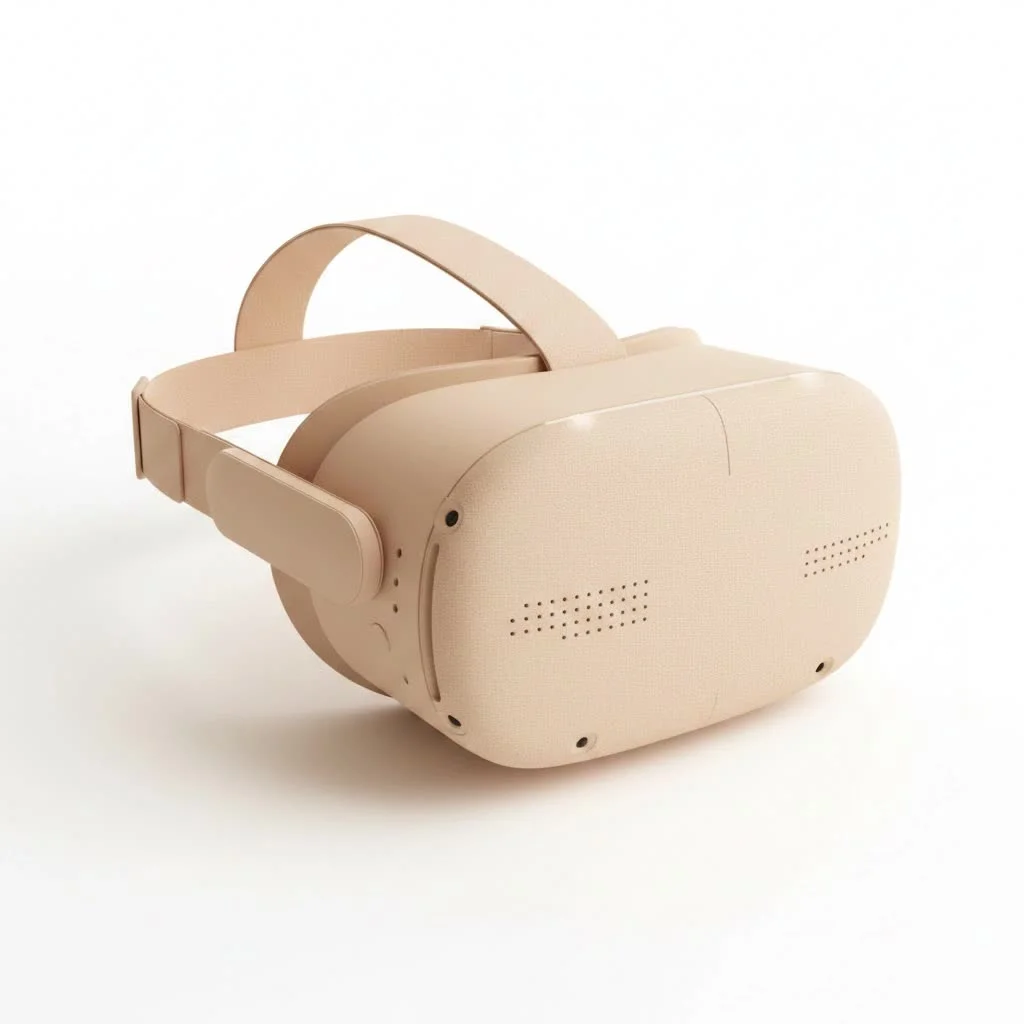
What Exactly Is the Oculus Quest VR Headset?
At its core, the Oculus Quest VR headset is a standalone virtual reality system. This is its magic trick. Unlike early VR headsets that required a high-end gaming PC, external sensors, and a tangle of wires, the Quest packs everything it needs—processors, storage, tracking, and display—into a single, wireless headset. You can take it anywhere, set it up in minutes, and jump straight into an experience.
It’s important to note the name change. While originally launched as the “Oculus Quest,” parent company Facebook rebranded to Meta. Consequently, the newer devices are officially called “Meta Quest.” For clarity, we’ll use both terms, but they refer to the same groundbreaking product line.
The Evolution: From Quest 1 to Meta Quest 3
The journey of the Quest has been one of rapid innovation, with each iteration significantly improving the user experience.
The Game Changer: Oculus Quest 2
The Oculus Quest 2, launched in 2020, was the device that brought VR to the masses. It hit the sweet spot of performance, price, and accessibility. It offered a higher resolution display and a more powerful processor than its predecessor, all in a lighter package and at a lower launch price. This combination made high-quality VR affordable and simple, leading to a massive explosion in the user base and the development of a rich library of games and applications.
The Next Leap: Meta Quest 3
Released in 2023, the Meta Quest 3 represents the next stage of this evolution. It’s not just a VR headset; it’s a mixed-reality device. The key upgrades include:
- Full-Color Passthrough: Using advanced cameras, the Quest 3 can show you a high-fidelity, full-color view of your real-world surroundings. This allows digital objects to be overlaid onto your room, seamlessly blending the virtual and physical worlds.
- Pancake Lenses: This new lens technology makes the headset’s optical stack significantly slimmer, resulting in a more comfortable and less front-heavy design. They also provide a sharper image from edge to edge.
- Next-Generation Processor: A substantial boost in processing power allows for more detailed graphics, smoother performance, and more ambitious game designs.
How Does the Oculus Quest Work?
The secret to the Quest’s freedom is its “inside-out” tracking system. Instead of external sensors placed around your room, the headset has several cameras built into its shell. These cameras constantly scan your environment, mapping out your position and movements in 3D space with remarkable accuracy.
This technology powers the Guardian system, one of the Quest’s most crucial safety features. When you first put on the headset in a new space, you “paint” a virtual boundary on your floor. If you get too close to this boundary while in VR, a grid-like wall appears, warning you that you’re approaching a real-world obstacle. It’s an intuitive system that lets you move confidently within your playspace.
Your hands are brought into VR by the two included Touch controllers. They are ergonomically designed, tracked by the headset’s cameras, and feature traditional buttons, thumbsticks, and triggers, allowing for natural and precise interactions within virtual environments.
What Can You Do With an Oculus Quest VR Headset?
The Quest is far more than just a gaming console; it’s a versatile entertainment and productivity platform.
Immersive Gaming
|
Our Picks for the Best VR Headset in 2026
As an Amazon Associate I earn from qualifying purchases.
|
||
| Num | Product | Action |
|---|---|---|
| 1 | Meta Quest 2 — Advanced All-In-One Virtual Reality Headset — 256 GB (Renewed) |

|
| 2 | VR Headset for Nintendo Switch 2 (2025), Switch 2 Virtual Reality VR Glasses with Adjustable HD Lenses and Comfortable Head Strap, Labo VR Kit 3D Goggles for Switch 2 Accessories, White&Blue |
|
| 3 | Oculus Quest 2 Advanced All-in-One Virtual Reality Gmaing VR Headset 128GB Set, White |
|
| 4 | PlayStation VR2 (PSVR2) |
|
| 5 | FEEBZ 3D VR Headset for Kids 2.0 + Android Remote - for iPhone & Android Phones - with 3D VR Videos & Apps Links - Virtual Reality Goggles Set for Beginners |
|
| 6 | FEEBZ 3D VR Headset for Kids 2.0 + Android Remote - for iPhone & Android Phones - with 3D VR Videos & Apps Links - Virtual Reality Goggles Set for Beginners |
|
| 7 | PlayStation VR2 Horizon Call of The Mountain™ Bundle (PSVR2) |
|
| 8 | VR Headset for Phone, Virtual Reality Glasses with Bluetooth Headphones for Adults and Kids Play 3D VR Games Movies (White VR Only) |
|
| 9 | DESTEK V5 VR Headset for Kids w/VR Gamepad, 128 Premium VR apps Included, Anti-Blue Eyes Protected HD Lenses, 110° FOV Virtual Reality Headsets for iPhone, Android Phone- Black |
|
| 10 | Oculus Quest 2 VR Headset 128GB Holiday Set - Advanced All-in-One Virtual Reality Headset Cover Set, White |
|
This is the primary draw for many. The Quest store is filled with thousands of titles, from rhythmic challenges like Beat Saber to intense zombie survival shooters like The Walking Dead: Saints & Sinners. You can solve puzzles in mystical worlds, command starships, or play a round of mini-golf with friends.
Fitness and Wellness
VR fitness is a booming genre. Apps like Supernatural and FitXR transport you to stunning locations for guided workouts that feel more like a game than exercise. You can box, dance, or even meditate in serene virtual landscapes, making fitness an exciting escape.
Social VR and Entertainment
Platforms like VRChat and Meta Horizon Worlds let you create an avatar and interact with people from all over the globe in virtual social spaces. You can also enjoy a solitary experience, watching Netflix on a giant virtual screen, attending live concerts, or exploring 360-degree videos on YouTube VR.
“The standalone nature of the Oculus Quest headset didn’t just cut the cord; it severed the barrier to entry for millions. It transformed VR from a niche hobby for tech enthusiasts into a genuine consumer platform for entertainment, connection, and even work.” – Dr. Alistair Finch, VR Industry Analyst.
Productivity and Creativity
The Quest is also a powerful tool for creation. Apps like Gravity Sketch allow you to design 3D models in an intuitive, hands-on way, while virtual desktop applications let you create a multi-monitor setup wherever you are. It’s a glimpse into the future of remote work and digital creation.
Do You Need a PC for the Oculus Quest?
The short answer is a definitive no. The entire purpose of the Oculus Quest VR headset is to function as a self-contained device. You can buy it, charge it, and start playing games downloaded directly from its internal store.
However, if you do have a gaming PC, the Quest offers the best of both worlds. Using a feature called Quest Link (via a USB-C cable) or Air Link (wirelessly over your Wi-Fi network), you can connect the headset to your computer. This gives you access to the vast library of high-fidelity PC VR games available on platforms like SteamVR and the Rift Store.
Is the Oculus Quest VR Headset Worth It?
For anyone curious about virtual reality, the Meta Quest 2 and Quest 3 are arguably the best starting points on the market. They offer an incredible value proposition with a vast and growing library of content.
-
Pros:
- Accessibility: No PC or external sensors required.
- Affordability: Competitively priced compared to other VR systems.
- Ease of Use: Simple setup gets you into VR within minutes.
- Versatility: Functions as both a standalone device and a PC VR headset.
-
Cons:
- Battery Life: Expect around 2-3 hours of use per charge.
- Comfort: While improved, the default head strap may not be comfortable for everyone during long sessions. (Many third-party accessories are available to fix this).
Frequently Asked Questions (FAQ)
What’s the difference between Oculus and Meta Quest?
They are the same product line. “Oculus” was the original brand name. After Facebook, the parent company, rebranded to “Meta,” they renamed the hardware to “Meta Quest” to align the branding.
How much storage do I need on the headset?
This depends on your usage. If you plan to download many large games, the larger storage option (e.g., 256GB or 512GB) is recommended. For more casual users, the base model (e.g., 128GB) is often sufficient, as you can always delete and re-download games.
Can I wear glasses with the Oculus Quest?
Yes. The headsets typically come with a glasses spacer that adds a little extra room between your face and the lenses. For the best experience, many users with glasses opt for custom prescription lens inserts that can be fitted into the headset.
What is mixed reality?
Mixed reality (MR) is a feature, most prominent on the Quest 3, that blends virtual objects with your real-world environment. You could have a virtual board game on your actual coffee table or have digital aliens breaking through your living room walls.
Do I need a Facebook account to use the Oculus Quest?
Initially, a Facebook account was required. However, Meta has since introduced Meta accounts, which you can create with an email address. You are no longer required to link a personal social media profile to use your VR headset.
Your Adventure into VR Awaits
The Oculus Quest VR headset line has fundamentally changed the consumer technology landscape, offering an unparalleled combination of freedom, quality, and content. Whether you are a hardcore gamer, a fitness enthusiast, a social butterfly, or simply a curious explorer, the Quest platform provides a powerful and accessible gateway to new realities. It’s an invitation to step beyond the screen and into the experience. The only question left is, where will you go first?
Get our weekly buyer guide
Practical specs, not advice. Unsubscribe anytime.
I’ve been on the fence about VR for ages because I didn’t want to deal with a gaming PC. The standalone aspect of the Oculus Quest was a total game-changer for me. It’s so easy to just pick up and play, and the immersion is incredible. Definitely worth the investment for anyone looking to get into VR without all the extra hassle.
I was skeptical about VR, but the Quest totally won me over. The tracking is surprisingly accurate, and I love how portable it is. I can take it to a friend’s house and set it up in minutes. It really does make virtual reality accessible to everyone, just like it said. Highly recommend!
The Oculus Quest is a solid entry into VR, especially for beginners. I appreciate not needing a PC, but I did notice some graphical limitations compared to what my friend gets on his PCVR setup. It’s still fun, but if you’re a hardcore gamer, you might eventually want to upgrade to something with more power. Good for what it is though.
I’ve had my Quest for about six months now and it’s fantastic for casual gaming and fitness apps. The untethered experience is truly liberating. My only minor gripe is that the battery life could be a bit longer for extended sessions, but a power bank usually solves that. Still, for the price point, it’s hard to beat.