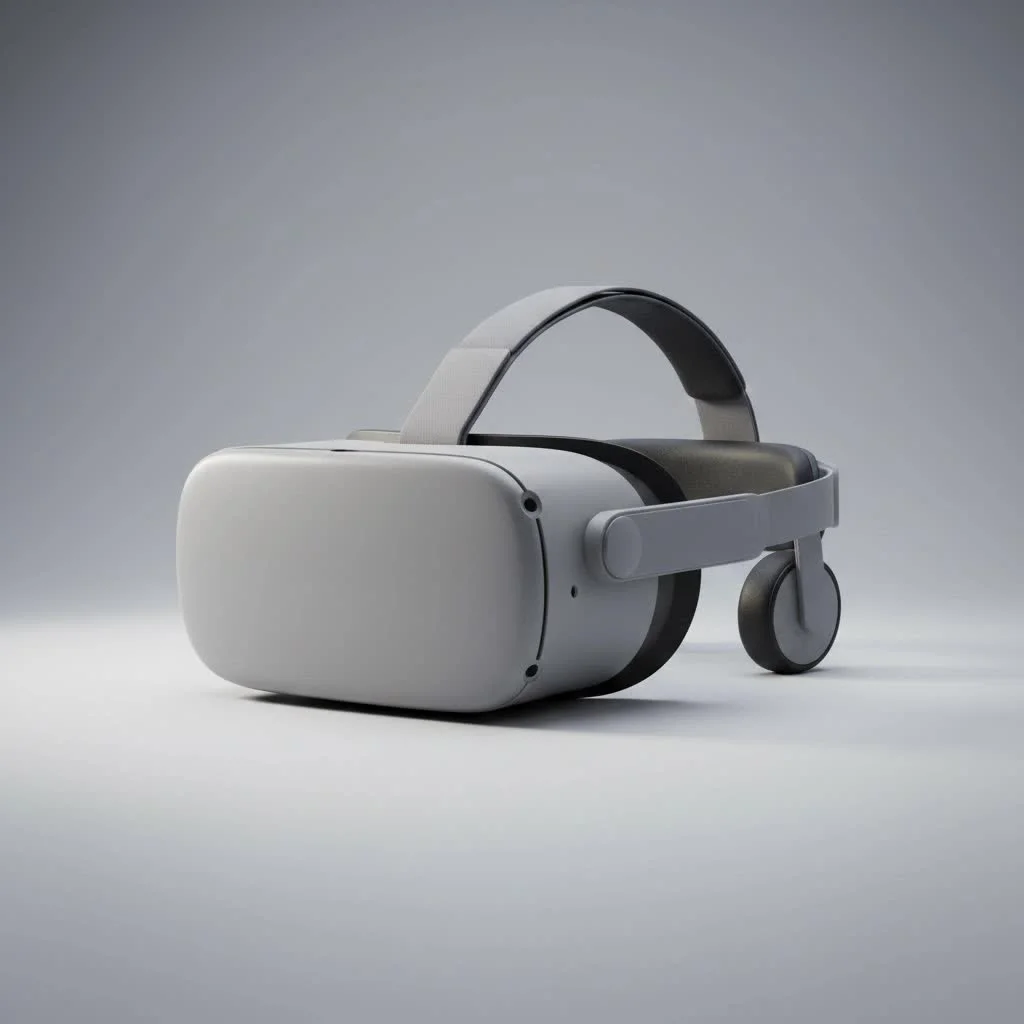
The VR headset Meta Quest 2 is a standalone virtual reality device that offers an accessible and immersive experience without needing a powerful PC or external sensors. Launched in October 2020, it quickly became a popular entry point for millions into virtual reality gaming, fitness, and social platforms due to its all-in-one design and untethered freedom.
 VR headset in a virtual environment” style=”margin: 20px auto;width: 800px;max-width: 100%;height: auto” />
At MNWFC, we’ve extensively reviewed major headsets, and the Quest 2 remains a significant milestone. It’s a self-contained universe of possibilities, allowing users to dive into virtual worlds within minutes of unboxing. This guide details everything you need to know about this revolutionary device.
What Exactly is the Meta Quest 2?
The Meta Quest 2 is a standalone virtual reality headset, meaning all essential components—processors, storage, battery, and tracking—are integrated directly into the device. Unlike earlier VR systems that required a high-end computer and external cameras, the Quest 2 provides complete, untethered freedom. Users can set it up anywhere in minutes, making it a major upgrade for the consumer VR market.
Key Features That Define the Quest 2 Experience
While newer models have emerged, the Quest 2’s feature set established a benchmark for standalone VR, combining robust performance with user-friendly design.
Untethered Freedom: Standalone VR
Its wireless, all-in-one nature is the most crucial feature, offering liberating freedom of movement. This allows for deep immersion and physical engagement, such as dodging and spinning, which is challenging with wired headsets. This untethered experience is powered by the headset’s “inside-out” tracking, utilizing four integrated cameras to scan the environment and determine user position and movement.
Visuals and Performance
The Quest 2 features a fast-switch LCD display with a resolution of 1832 x 1920 pixels per eye. This delivers a sharp, clear image, significantly reducing the “screen-door effect” common in older VR headsets. With a refresh rate of up to 120Hz, motion appears smooth and fluid, which is vital for comfortable and realistic VR experiences, particularly in fast-paced games.
Intuitive Controls: The Touch Controllers
The redesigned Touch controllers are ergonomic and intuitive, fitting comfortably in hand with a traditional layout of thumbsticks, buttons, and triggers. Crucially, they offer excellent hand tracking, accurately translating real-world hand and finger movements into the virtual space. This enables natural interaction with objects, gestures, and precise aiming.
The Guardian System: A Safe Play Space
|
Our Picks for the Best VR Headset in 2026
As an Amazon Associate I earn from qualifying purchases.
|
||
| Num | Product | Action |
|---|---|---|
| 1 | FEEBZ 3D VR Headset for Kids 2.0 + Android Remote - for iPhone & Android Phones - with 3D VR Videos & Apps Links - Virtual Reality Goggles Set for Beginners |

|
| 2 | VR Headset for Phone, Virtual Reality Glasses with Bluetooth Headphones for Adults and Kids Play 3D VR Games Movies (White VR Only) |
|
| 3 | Oculus Quest 2 VR Headset 128GB Holiday Set - Advanced All-in-One Virtual Reality Headset Cover Set, White |
|
| 4 | FEEBZ 3D VR Headset for Kids 2.0 + Android Remote - for iPhone & Android Phones - with 3D VR Videos & Apps Links - Virtual Reality Goggles Set for Beginners |
|
| 5 | PlayStation VR2 (PSVR2) |
|
| 6 | DESTEK V5 VR Headset for Kids w/VR Gamepad, 128 Premium VR apps Included, Anti-Blue Eyes Protected HD Lenses, 110° FOV Virtual Reality Headsets for iPhone, Android Phone- Black |
|
| 7 | Meta Quest 2 — Advanced All-In-One Virtual Reality Headset — 256 GB (Renewed) |
|
| 8 | PlayStation VR2 Horizon Call of The Mountain™ Bundle (PSVR2) |
|
| 9 | Oculus Quest 2 Advanced All-in-One Virtual Reality Gmaing VR Headset 128GB Set, White |
|
| 10 | VR Headset for Nintendo Switch 2 (2025), Switch 2 Virtual Reality VR Glasses with Adjustable HD Lenses and Comfortable Head Strap, Labo VR Kit 3D Goggles for Switch 2 Accessories, White&Blue |
|
To prevent accidental collisions, Meta developed the Guardian system. During initial setup, users “paint” a virtual boundary around their safe play area using the controllers. If a user approaches this boundary in VR, a grid-like wall appears, providing a gentle reminder of physical limits. This feature enhances confidence for free movement within the defined space.
What Can You Do With a Meta Quest 2 VR Headset?
The Quest 2 is a versatile entertainment and productivity platform, extending beyond just gaming.
- Immersive Gaming: The Quest Store offers thousands of titles, including rhythm games like Beat Saber, shooters like SUPERHOT VR, and expansive RPGs. Connecting to a PC via a Link cable or wirelessly with Air Link also grants access to the entire library of PC VR titles.
- Fitness and Wellness: VR fitness is a growing sector. Apps such as Supernatural and FitXR transform workouts into engaging games, making exercise more enjoyable. Users can box, dance, or meditate in stunning virtual environments.
- Social VR: Platforms like VRChat and Rec Room enable users to create avatars, meet people globally, and socialize in virtual spaces. This includes attending virtual concerts, joining clubs, or chatting with friends in a more present way than standard video calls.
- Media Consumption: Users can watch movies and shows on a massive virtual screen from the comfort of their couch. Apps like YouTube VR and Netflix provide a private theater experience, allowing escape into favorite content.
As Dr. Alistair Finch, our in-house VR specialist, states, “The Quest 2 democratized virtual reality. It transformed a niche, expensive hobby into an accessible experience for everyday consumers, demonstrating VR’s potential beyond gaming into education, social connection, and personal wellness.”
Is the Meta Quest 2 Still Worth Buying?
Even with the release of the Meta Quest 3, the VR headset Meta Quest 2 remains an excellent value. It is often available at a significantly lower price point, making it an ideal entry-level headset for VR newcomers. Its content library is vast and mature, ensuring a wide array of games and experiences to explore.
While the Quest 3 offers notable upgrades like a slimmer profile, higher resolution, and full-color passthrough for mixed reality, the Quest 2 still delivers a fantastic, high-quality experience for VR gaming and content. For most available content, the Quest 2 is more than sufficient. If budget is a primary concern, the Quest 2 offers the best value for entering the world of VR today.
Your Gateway to New Realities
The VR headset Meta Quest 2 represents a landmark achievement in consumer technology. It successfully balanced performance, price, and ease of use to deliver a compelling virtual reality experience to a broad audience. While newer hardware continues to advance, the Quest 2 remains a highly relevant and excellent choice for anyone taking their first step into the immersive and exciting world of VR. It offers a rich library, solid performance, and an unbeatable value, making it a top recommendation.
Frequently Asked Questions
Do I need a Facebook account to use the Meta Quest 2?
No, a Facebook account is no longer required. Users must create a Meta account, which can be optionally linked to Facebook or Instagram but does not have to be. This Meta account manages all games, apps, and user profiles.
How much storage space is recommended for the Meta Quest 2?
The Quest 2 is available in 128GB and 256GB storage options. For most users, 128GB provides ample space for a significant number of games and apps. The 256GB model is better suited for those planning to download many large games or media files.
Can individuals who wear glasses comfortably use the Quest 2?
Yes, the Meta Quest 2 includes a glasses spacer in the box. This small plastic frame increases the distance between the headset's lenses and the user's face, providing sufficient room for most prescription glasses to fit comfortably inside.
What is the typical battery life of the Meta Quest 2 headset?
The built-in battery of the Meta Quest 2 typically lasts for approximately 2-3 hours, depending on the content being used. Gaming generally drains the battery faster than watching media. An optional Elite Strap with an integrated battery pack can extend playtime.
Is the Meta Quest 2 suitable for use by children?
Meta officially recommends the Quest 2 for users aged 13 and older. This recommendation addresses concerns about the physical development of children's eyes and the headset's fit. Parental supervision is strongly advised for any younger users.
Get our weekly buyer guide
Practical specs, not advice. Unsubscribe anytime.
The Meta Quest 2 is a solid entry point into VR. I love that it doesn’t need a powerful PC, which was a huge selling point for me. The graphics are pretty good for a standalone device, and there’s a decent selection of games. My only minor complaint is that the battery life could be a bit longer for extended sessions, but it’s not a dealbreaker.
I got the Quest 2 mainly for gaming, and while it’s fun, I’ve noticed some issues with the tracking in certain fast-paced games. It’s not terrible, but sometimes it feels a little off. For casual use and social platforms, it’s fine, but if you’re a serious gamer, you might notice the limitations compared to PCVR. Still, for the price and convenience, it’s hard to beat.
This headset is fantastic! I was hesitant to jump into VR, but the Meta Quest 2 made it so easy. Unboxing it and getting started was super quick, and I was in a virtual world within minutes. It’s been great for connecting with friends in VR chat and trying out new experiences. So glad I finally got one!
I’ve had my Meta Quest 2 for about a year now, and it’s still amazing. The untethered freedom is a game-changer; I can move around my living room without worrying about tripping over cables. It’s been perfect for fitness apps and just exploring new virtual worlds. Definitely recommend it if you’re looking for an all-in-one VR experience.