The best cheap VR headset for PC in 2025 is typically a used or refurbished Meta Quest 2, offering a sharp 1832×1920 per eye display and up to 120Hz refresh rate for under $200. This option provides robust PC connectivity via USB-C (Oculus Link) or wirelessly (Air Link) and access to a vast game library, making high-quality PC VR accessible without a premium price tag.
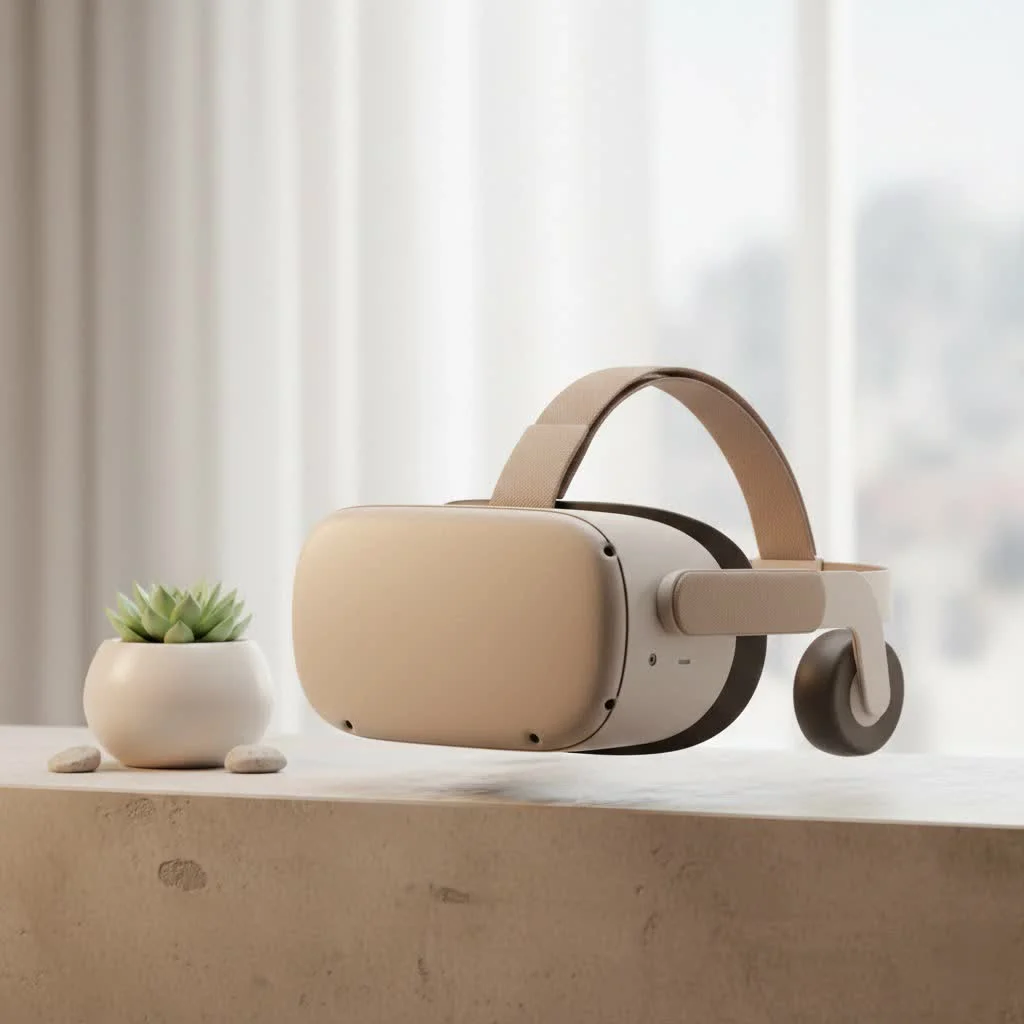
As the lead content creator at mnwfc.com, I’ve spent over a decade testing, taking apart, and living with virtual reality hardware. I’ve seen the tech evolve from clunky prototypes to the sleek devices we have today. The good news is that the “trickle-down” effect is in full swing. Features that were once exclusive to premium headsets are now standard on more affordable models, opening the door for everyone to experience the magic of PC VR without breaking the bank.
What to Expect from a Cheap VR Headset for PC?
Before we dive into recommendations, it’s crucial to set realistic expectations. A budget-friendly headset won’t compete with a top-of-the-line device that costs three or four times as much. However, you might be surprised by how small the gap in quality has become. Here’s a realistic look at the trade-offs:
- Display Technology: You’ll likely get a solid LCD panel instead of a vibrant OLED. This means blacks might appear more like dark gray, but modern LCDs offer excellent sharpness and color accuracy.
- Resolution: While premium headsets push 4K per eye, a good cheap VR headset for PC will still offer a resolution that’s high enough to minimize the “screen door effect,” where you can see the pixels.
- Tracking: Most budget headsets use inside-out tracking, which means cameras on the headset track the controllers. This is incredibly convenient as it requires no external sensors. The only downside is that tracking can be lost if you hold the controllers behind your back or too close to the headset.
- Audio and Comfort: You’ll typically find built-in speakers that get the job done but lack deep bass. You can always use your own headphones for a more immersive experience. Comfort can also be a mixed bag, but the aftermarket is filled with affordable strap and facial interface upgrades.
Top Picks for the Best Cheap VR Headset for PC in 2025
The market for affordable PC VR is dominated by standalone headsets that also offer excellent PC connectivity. This dual-use functionality provides incredible value.
Meta Quest 2 (Used or Refurbished) – The Undisputed Value King
|
Our Picks for the Best VR Headset in 2026
As an Amazon Associate I earn from qualifying purchases.
|
||
| Num | Product | Action |
|---|---|---|
| 1 | FEEBZ 3D VR Headset for Kids 2.0 + Android Remote - for iPhone & Android Phones - with 3D VR Videos & Apps Links - Virtual Reality Goggles Set for Beginners |

|
| 2 | Oculus Quest 2 Advanced All-in-One Virtual Reality Gmaing VR Headset 128GB Set, White |
|
| 3 | VR Headset for Nintendo Switch 2 (2025), Switch 2 Virtual Reality VR Glasses with Adjustable HD Lenses and Comfortable Head Strap, Labo VR Kit 3D Goggles for Switch 2 Accessories, White&Blue |
|
| 4 | Oculus Quest 2 VR Headset 128GB Holiday Set - Advanced All-in-One Virtual Reality Headset Cover Set, White |
|
| 5 | DESTEK V5 VR Headset for Kids w/VR Gamepad, 128 Premium VR apps Included, Anti-Blue Eyes Protected HD Lenses, 110° FOV Virtual Reality Headsets for iPhone, Android Phone- Black |
|
| 6 | Meta Quest 2 — Advanced All-In-One Virtual Reality Headset — 256 GB (Renewed) |
|
| 7 | PlayStation VR2 Horizon Call of The Mountain™ Bundle (PSVR2) |
|
| 8 | VR Headset for Phone, Virtual Reality Glasses with Bluetooth Headphones for Adults and Kids Play 3D VR Games Movies (White VR Only) |
|
| 9 | PlayStation VR2 (PSVR2) |
|
| 10 | FEEBZ 3D VR Headset for Kids 2.0 + Android Remote - for iPhone & Android Phones - with 3D VR Videos & Apps Links - Virtual Reality Goggles Set for Beginners |
|
Even though it’s an older model, a used or refurbished Meta Quest 2 is arguably the cheapest and most reliable way to get into PC VR. Its massive game library, mature software, and robust PC connection options make it a workhorse.
- PC Connection: You can connect it to your PC via a USB-C cable (Oculus Link) for a stable, high-fidelity experience or wirelessly (Air Link) if you have a strong Wi-Fi 6 router.
- Performance: It offers a sharp display (1832×1920 per eye) and a refresh rate of up to 120Hz, which is fantastic for smooth gameplay.
- Why it’s a great deal: The sheer volume of sold units means the second-hand market is flooded with them. You can often find a complete kit for a fraction of its original price, making it an unbeatable entry point.
Pico 4 – The Lightweight Challenger
The Pico 4 made waves by offering next-generation features at a budget-friendly price. It’s a direct competitor to the Quest line and excels in a few key areas, making it a compelling cheap VR headset for PC users.
- Visuals: The Pico 4 uses “pancake lenses,” which are thinner and lighter than the fresnel lenses found in the Quest 2. This results in a slimmer headset and a wider, clearer field of view. The resolution is also higher at 2160×2160 per eye.
- Comfort: Thanks to its lens technology and a rear-mounted battery that balances the weight, the Pico 4 is often considered more comfortable for long sessions out of the box.
- PC Connection: Like the Quest 2, it connects to a PC wirelessly through its Streaming Assistant app or third-party solutions like Virtual Desktop.
As our in-house analyst, Dr. Alistair Finch, often says, “The accessibility of headsets like the Pico 4 and the continued relevance of the Quest 2 have fundamentally lowered the barrier to entry for high-quality PC VR. The ‘budget’ category no longer means ‘bad’.”
Windows Mixed Reality (WMR) Headsets (Used Market)
For the absolute lowest price, the used market for older WMR headsets like the HP Reverb G1, Samsung Odyssey+, or Lenovo Explorer can be a goldmine. These were some of the first headsets to popularize inside-out tracking.
- Pros: They are plug-and-play with Windows, often have high-resolution screens for their time (especially the Reverb G1), and can be found for very low prices.
- Cons: The controller tracking is generally considered less accurate than on modern headsets, and the controller ergonomics can feel dated. This is an option for tinkerers and those on a very tight budget.
Key Features to Consider Before You Buy
Navigating specs can be confusing. Let’s break down what really matters for a cheap VR headset for PC.
Resolution and Display
This determines the sharpness of the image. Higher resolution reduces the screen door effect and makes text easier to read. For PC VR, aim for at least 1800×1800 pixels per eye.
Refresh Rate
Measured in Hertz (Hz), this is how many times the screen updates per second. A higher refresh rate (90Hz or above) results in smoother motion and can significantly reduce motion sickness. A 72Hz rate is acceptable, but 90Hz or 120Hz is the sweet spot.
Tracking: Inside-Out is King for Budgets
As mentioned, inside-out tracking is the standard for budget VR. It’s incredibly convenient. Just ensure your play area is well-lit for the headset’s cameras to work effectively. You don’t need to worry about setting up external base stations.
Connectivity: Wired or Wireless?
- Wired (USB or DisplayPort): This method provides the most stable and highest-quality visual experience. There is no compression or latency added by a wireless signal. The downside is the cable, which can break immersion.
- Wireless (Wi-Fi): This offers complete freedom of movement. However, it requires a powerful and well-configured home network (ideally a Wi-Fi 6 router connected directly to your PC) to minimize latency and compression artifacts.
How Do You Connect a Cheap VR Headset to a PC?
The process is surprisingly straightforward. For a headset like the Meta Quest 2 or Pico 4, you’ll install the respective software on your PC.
- For a Wired Connection: You’ll simply connect the headset to your PC using a high-quality USB-C cable. Your PC’s software will then detect the headset, and you can launch PC VR games through SteamVR or the Oculus PC app.
- For a Wireless Connection: You’ll connect both your PC and your headset to the same 5GHz or 6GHz Wi-Fi network. Then, you enable the wireless streaming mode on both the PC software and within the headset.
Is a Cheap VR Headset for PC Really Worth It?
Absolutely. A budget-friendly VR headset is the perfect gateway into the world of PC VR. It allows you to play a massive library of incredible games—from rhythm action titles like Beat Saber to epic adventures like Half-Life: Alyx—without a massive upfront investment. While you might miss out on the premium comfort and modern features of high-end models, the core experience is more than intact. It’s about getting 90% of the magic for 30% of the price.
Frequently Asked Questions (FAQ)
What is the absolute cheapest way to play PC VR?
The cheapest method is typically to buy a used first-generation Windows Mixed Reality headset or a used Meta Quest 2. These can often be found on online marketplaces for a very low price.
Can a cheap VR headset run demanding games like Half-Life: Alyx?
Yes. The headset itself doesn’t run the game; your PC does. As long as your computer meets the game’s minimum requirements, a cheap VR headset for PC will be able to display it. Your PC’s graphics card does all the heavy lifting.
Do I need a powerful PC for a cheap VR headset?
Yes, the PC requirements are independent of the headset’s price. You will still need a gaming PC with a capable graphics card, such as an NVIDIA GeForce RTX 3060 or an AMD Radeon RX 6600 XT, for a smooth experience in most modern VR titles.
Are used VR headsets a good idea?
They can be a fantastic deal, but it’s important to be cautious. Check for lens scratches, ensure the controllers are fully functional, and verify that the battery (on standalone models) still holds a decent charge. If possible, buy from a reputable seller or a platform that offers buyer protection.
Your VR Journey Starts Here
The world of PC VR is no longer an exclusive club. With the excellent performance and affordability of modern budget-friendly headsets, anyone with a decent gaming PC can step into new realities. Whether you choose a versatile, pre-owned Quest 2 or a comfortable Pico 4, you’re getting a device that can deliver countless hours of awe and excitement. Don’t let a high price tag hold you back; your virtual adventure is waiting.
Frequently Asked Questions
What is the most affordable way to experience PC VR gaming?
The most affordable way to experience PC VR gaming is typically by purchasing a used first-generation Windows Mixed Reality headset or a used Meta Quest 2. These models can often be found on online marketplaces for significantly lower prices than new devices, making them excellent entry points for budget-conscious users.
Can a budget VR headset handle demanding PC VR games like Half-Life: Alyx?
Yes, a budget VR headset can handle demanding PC VR games like Half-Life: Alyx, provided your computer meets the game's minimum system requirements. The headset primarily acts as a display; your PC's graphics card, such as an NVIDIA GeForce RTX 3060 or AMD Radeon RX 6600 XT, performs all the intensive processing to run the game smoothly.
Are powerful PC specifications necessary for a cheap VR headset?
Yes, powerful PC specifications are necessary for a smooth VR experience, regardless of the headset's price. The PC's hardware, particularly the graphics card, dictates the performance of PC VR games. For most modern VR titles, a gaming PC with a capable GPU is essential to avoid lag and ensure high frame rates.
What should I look for when buying a used VR headset?
When buying a used VR headset, it's crucial to inspect for lens scratches, which can significantly impact visual clarity. Additionally, ensure that the controllers are fully functional and that the battery, especially on standalone models like the Meta Quest 2, still holds a decent charge. Buying from reputable sellers or platforms with buyer protection is highly recommended.
What refresh rate is ideal for a smooth PC VR experience?
For a smooth PC VR experience, a refresh rate of 90Hz or above is ideal, as it significantly reduces motion sickness and provides fluid motion. While 72Hz is acceptable for some users, higher refresh rates like 90Hz or 120Hz offer a noticeably better and more comfortable gaming experience.
Connect a Cheap VR Headset to a PC
Learn how to connect your budget-friendly VR headset, such as a Meta Quest 2 or Pico 4, to your PC for an immersive virtual reality gaming experience, using either a wired or wireless connection.
Begin by installing the dedicated software for your specific VR headset (e.g., Oculus PC app for Meta Quest, Streaming Assistant for Pico 4) on your computer. This software is essential for your PC to recognize and communicate with the headset.
For a wired connection, use a high-quality USB-C cable to link your headset directly to your PC. Once connected, the PC software should detect the headset, allowing you to launch and play PC VR games through platforms like SteamVR or the headset's native PC app.
For a wireless connection, ensure both your PC and headset are connected to the same high-speed Wi-Fi network (preferably 5GHz or 6GHz). Then, activate the wireless streaming mode within both your PC's headset software and the headset itself to establish the connection.
Get our weekly buyer guide
Practical specs, not advice. Unsubscribe anytime.
I picked up a used Quest 2 after reading about it here, and for under $200, it’s incredible value. The 120Hz refresh rate makes a huge difference in fast-paced games. My only minor complaint is that the battery life could be a bit better when using it wirelessly for extended PC VR sessions, but a power bank solves that.
I got a Meta Quest 2 based on the advice for a cheap PC VR option. While the access to a vast game library is great, I found the initial setup for Oculus Link a bit finicky with my specific USB-C port. It works now, but it took some troubleshooting. Still, for the price, it’s hard to beat.
This guide was super helpful! I’ve been wanting to get into PC VR but didn’t want to spend a ton. The detailed info on the Meta Quest 2 and its PC connectivity options like USB-C was exactly what I needed. It’s awesome to get high-quality VR without the premium price tag.
I was really skeptical about getting a ‘cheap’ VR headset for my PC, but the recommendation for a refurbished Meta Quest 2 was spot on. The 1832×1920 per eye display is surprisingly sharp, and I’ve had no issues with PC connectivity using Air Link. It’s been a game-changer for my sim racing setup without costing a fortune.