Have you ever dreamed of stepping inside your favorite video game, walking on the surface of Mars, or sitting front row at a concert without leaving your home? With a VR headset, these experiences are not just possible; they’re incredibly immersive and accessible. For over a decade, we at MNWFC have been exploring every facet of this technology, and we’re here to demystify it for you. This guide will walk you through everything you need to know about what a VR headset is, how it works, and what it can do for you.
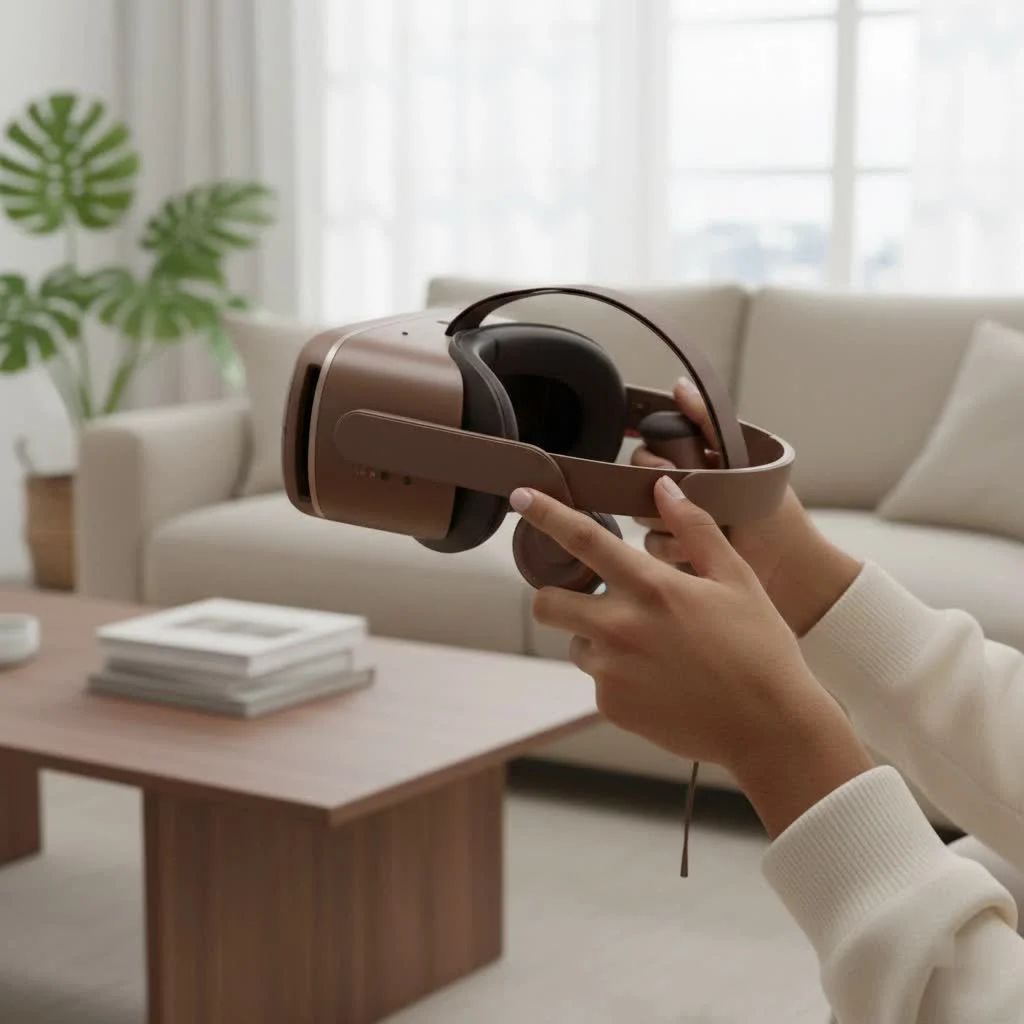
What Exactly Is a VR Headset?
A VR headset is a wearable device, worn over the eyes like a pair of high-tech goggles, that blocks out the outside world and replaces it with a computer-generated, three-dimensional environment. The goal is to create a sense of presence, tricking your brain into believing that you are truly inside this virtual world. It achieves this by displaying a stereoscopic image—a slightly different picture for each eye—to create a perception of depth, just like our eyes do in the real world.
How Does a VR Headset Work?
The magic of a VR headset lies in a combination of several key technologies working in perfect harmony. While it might seem complex, the core principles are quite straightforward.
The Visuals: Screens and Lenses
At its heart, a VR headset contains two small, high-resolution screens—one for each eye. Between your eyes and these screens are specialized lenses. These lenses serve two purposes: they focus and reshape the picture for each eye, and they stretch it to fill your field of view. This wide field of view is crucial for immersion, as it eliminates the feeling of looking at a screen and instead makes you feel like you’re in the environment.
The Tracking: Following Your Every Move
This is where the real immersion happens. A VR headset uses a system of sensors to track your head movements. When you turn your head left, right, up, or down, the image inside the headset moves perfectly in sync. This is called 3DoF (Three Degrees of Freedom) tracking.
More advanced systems use 6DoF (Six Degrees of Freedom) tracking. This not only tracks your head rotation but also your position in a physical space. If you take a step forward, lean to the side, or crouch down in your room, your virtual self does the same. This is achieved through:
- Inside-Out Tracking: Cameras on the headset itself scan the room to determine its position. This is the most common method in modern standalone headsets.
- Outside-In Tracking: External sensors or “lighthouses” are placed in your room to track the headset’s position. This was common in early PC VR systems and offers exceptional precision.
What Can You Do With a VR Headset?
While gaming is the most famous application, the uses for a VR headset are expanding every day. It’s a versatile tool for entertainment, education, fitness, and social interaction.
Immersive Gaming
|
Our Picks for the Best VR Headset in 2026
As an Amazon Associate I earn from qualifying purchases.
|
||
| Num | Product | Action |
|---|---|---|
| 1 | PlayStation VR2 Horizon Call of The Mountain™ Bundle (PSVR2) |

|
| 2 | FEEBZ 3D VR Headset for Kids 2.0 + Android Remote - for iPhone & Android Phones - with 3D VR Videos & Apps Links - Virtual Reality Goggles Set for Beginners |
|
| 3 | Oculus Quest 2 Advanced All-in-One Virtual Reality Gmaing VR Headset 128GB Set, White |
|
| 4 | DESTEK V5 VR Headset for Kids w/VR Gamepad, 128 Premium VR apps Included, Anti-Blue Eyes Protected HD Lenses, 110° FOV Virtual Reality Headsets for iPhone, Android Phone- Black |
|
| 5 | VR Headset for Phone, Virtual Reality Glasses with Bluetooth Headphones for Adults and Kids Play 3D VR Games Movies (White VR Only) |
|
| 6 | PlayStation VR2 (PSVR2) |
|
| 7 | Oculus Quest 2 VR Headset 128GB Holiday Set - Advanced All-in-One Virtual Reality Headset Cover Set, White |
|
| 8 | FEEBZ 3D VR Headset for Kids 2.0 + Android Remote - for iPhone & Android Phones - with 3D VR Videos & Apps Links - Virtual Reality Goggles Set for Beginners |
|
| 9 | VR Headset for Nintendo Switch 2 (2025), Switch 2 Virtual Reality VR Glasses with Adjustable HD Lenses and Comfortable Head Strap, Labo VR Kit 3D Goggles for Switch 2 Accessories, White&Blue |
|
| 10 | Meta Quest 2 — Advanced All-In-One Virtual Reality Headset — 256 GB (Renewed) |
|
This is the gateway to VR for many. VR gaming isn’t just about controlling a character on a screen; it’s about being the character. You physically swing a sword, aim a bow, or duck behind cover. The level of immersion is unlike anything in traditional gaming.
Virtual Travel and Education
Explore the ruins of ancient Rome, dive into the Great Barrier Reef, or walk through a museum on the other side of the world. VR offers incredible educational opportunities, allowing students to visualize complex biological processes or historical events in a fully immersive way.
Fitness and Well-being
Forget boring treadmills. VR fitness, or “exergaming,” turns your workout into an exciting adventure. You can box in a virtual ring, dance in futuristic clubs, or play high-energy sports, all while burning serious calories. There are also apps for guided meditation and relaxation in serene virtual environments.
Social VR and the Metaverse
Meet up with friends, attend virtual events, or collaborate with colleagues in shared digital spaces. Platforms like VRChat and Meta Horizon Worlds allow you to create an avatar and interact with people from all over the globe as if you were in the same room.
“We are moving beyond using technology as a simple tool and toward a future where it is an environment. A VR headset is the portal to that environment, changing not just what we see, but fundamentally how we connect and experience digital content.” – Dr. Alistair Finch, Human-Computer Interaction Specialist.
The Main Types of VR Headsets
VR headsets generally fall into three categories, each with its own pros and cons.
Standalone VR Headsets
These are all-in-one devices with the computer, battery, and storage built directly into the headset. They are wireless, easy to set up, and generally more affordable, making them the perfect entry point for most people.
- Pros: No wires, easy to use anywhere, lower overall cost.
- Cons: Less powerful than PC-based systems, graphics are not as detailed.
- Examples: Meta Quest 3, Pico 4.
PC VR Headsets
These headsets connect to a powerful gaming computer. The PC does all the heavy lifting, allowing for incredibly high-fidelity graphics, larger games, and more complex simulations.
- Pros: Best possible graphics and performance, access to a huge library of high-end games.
- Cons: Requires an expensive gaming PC, can be tethered by a cable (though wireless options exist), more complex setup.
- Examples: Valve Index, HTC Vive Pro 2.
Console-Based VR Headsets
These are designed to work with a specific video game console, offering a middle ground between standalone and PC VR. They provide a high-quality experience without the need for a dedicated gaming PC.
- Pros: Simple plug-and-play setup with the console, high-quality exclusive games.
- Cons: Only works with one specific console.
- Examples: PlayStation VR2 (for PlayStation 5).
Key Features to Consider
When choosing a VR headset, you’ll encounter some technical terms. Here’s a simple breakdown of what matters most:
| Feature | What It Is | Why It Matters |
|---|---|---|
| Resolution | The number of pixels in the display, measured per eye. | Higher resolution means a sharper, clearer image with less “screen door effect” (seeing the gaps between pixels). |
| Refresh Rate | How many times the screen updates per second, measured in Hertz (Hz). | A higher refresh rate (90Hz or 120Hz) results in smoother motion, which reduces motion sickness and increases realism. |
| Field of View (FoV) | How much of the virtual world you can see at any given moment, measured in degrees. | A wider FoV increases your peripheral vision, making the experience feel much more natural and immersive. |
| Tracking | The system’s ability to follow your movement (3DoF or 6DoF). | 6DoF is essential for a truly interactive and immersive VR experience where you can move around a space. |
| Controllers | The handheld devices you use to interact with the virtual world. | Good ergonomic controllers with haptic feedback (vibrations) make interactions feel more tangible and intuitive. |
Frequently Asked Questions (FAQ)
Do I need a powerful PC for a VR headset?
You only need a powerful PC if you choose a PC VR headset. For standalone headsets like the Meta Quest 3 or a console headset like the PSVR2, you do not need a computer at all (besides the console, in the case of PSVR2).
Can you wear glasses with a VR headset?
Most modern VR headsets are designed to accommodate glasses. Many include a spacer to increase the distance between the lenses and your eyes, or you can purchase custom prescription lens inserts that fit directly into the headset.
Is VR bad for your eyes?
Current research suggests that using a VR headset is not inherently harmful to the eyes of a healthy adult. However, it can cause temporary eye strain, similar to staring at a computer screen for too long. It’s important to take regular breaks, typically every 30-45 minutes.
How much does a VR headset cost?
The price varies widely. Entry-level standalone headsets can cost between $300 and $500. High-end PC VR headsets can range from $600 to over $1,000, not including the cost of the required PC.
What is the difference between VR (Virtual Reality) and AR (Augmented Reality)?
Virtual Reality completely replaces your surroundings with a digital world. Augmented Reality, on the other hand, overlays digital information onto your real-world view (think Pokémon GO or smart glasses). VR is fully immersive, while AR enhances your current reality.
Your Journey into VR Starts Here
A VR headset is more than just a new piece of tech; it’s a gateway to new worlds, new experiences, and new ways of connecting with others. From the simplicity of a standalone device to the powerhouse performance of a PC VR system, there has never been a better time to dive in. We hope this guide has answered your questions and sparked your curiosity. The virtual world is waiting for you.
Get our weekly buyer guide
Practical specs, not advice. Unsubscribe anytime.
