Stepping into a virtual world from the comfort of your living room might have once felt like science fiction, but with the PlayStation VR2 (PSVR2), it’s a vibrant, exhilarating reality for PlayStation 5 owners. This isn’t just an accessory; it’s your portal to experiences that feel so real, you’ll forget you’re wearing a headset. From breathtaking landscapes to heart-pounding action, the PSVR2 is revolutionizing how we interact with games, pushing the boundaries of immersion like never before. If you own a PS5 and are curious about the pinnacle of console virtual reality, you’re in for a treat.
What is the PlayStation VR2 (PSVR2)?
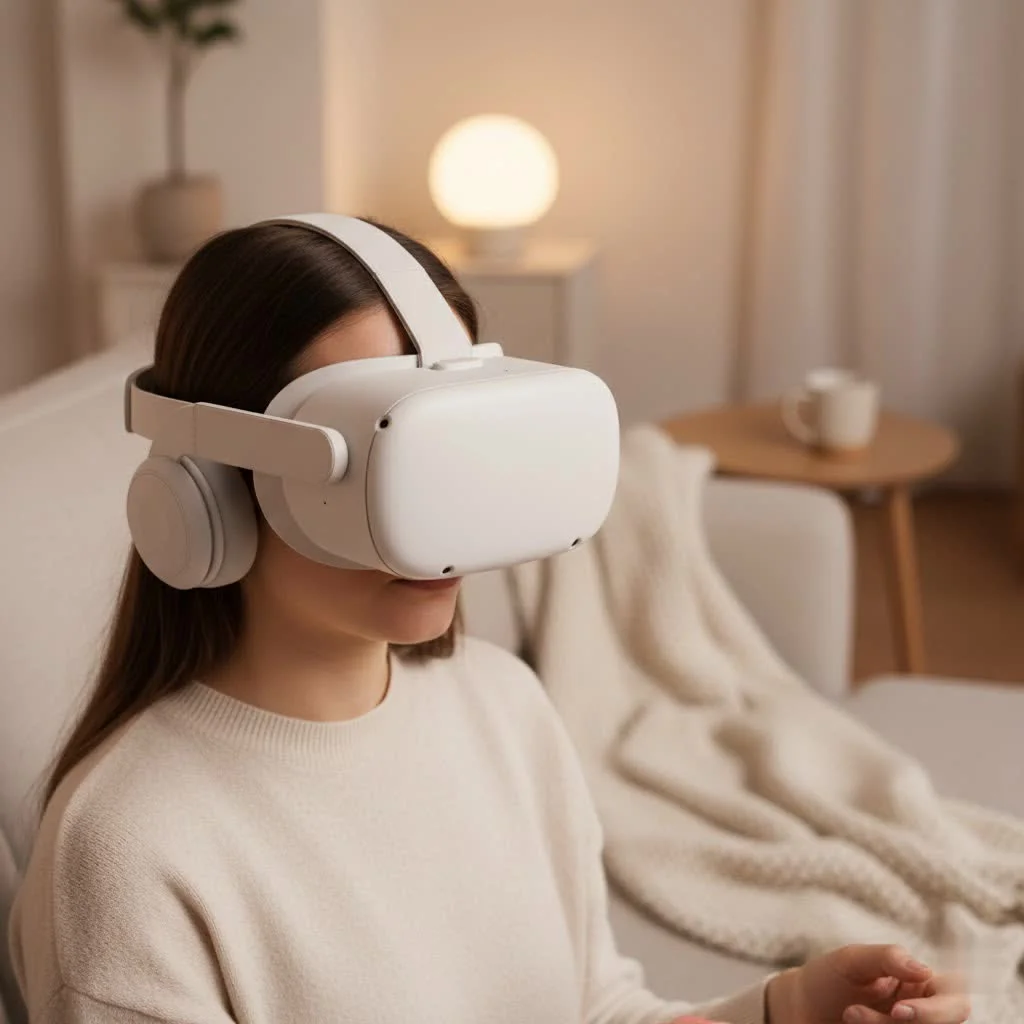
The PlayStation VR2 is Sony’s cutting-edge virtual reality headset specifically engineered to harness the immense power of the PlayStation 5 console. It’s the direct successor to the original PlayStation VR, but calling it merely an upgrade would be an understatement. This system delivers a completely new level of sensory immersion, making every gaming session an unforgettable adventure. For more virtual reality guides on this site.
At its core, the PSVR2 system comprises the sleek VR headset itself and the innovative PS VR2 Sense controllers. These aren’t your old PSVR Move controllers; the Sense controllers are designed from the ground up to provide precise tracking and tactile feedback that truly connects you to the virtual environment. It’s important to note, however, that the PSVR2 is not backward compatible with games designed for the original PlayStation VR. It’s a fresh start, built for the PS5 generation and its unique capabilities.
Cutting-Edge Features That Define PSVR2 Immersion
What makes the PlayStation VR2 a game-changer? It’s all about the integrated technologies working in harmony to blur the lines between virtual and real.
Stunning Visuals That Pull You In
Prepare for visual fidelity that truly pops. The PSVR2 boasts dual OLED displays, delivering a crisp 2000×2040 pixels per eye, which translates to a stunning 4K HDR experience. This means deeper blacks, vibrant colors, and incredible detail that will make every virtual world feel tangible. With refresh rates of 90Hz and 120Hz, motion is butter-smooth, minimizing discomfort and enhancing realism. Couple that with a wide 110-degree field of view, and you’ll find yourself completely enveloped in the action, with peripheral vision that keeps you aware of your virtual surroundings.
Intelligent Eye-Tracking & Foveated Rendering
One of the PSVR2’s most brilliant innovations is its integrated eye-tracking technology. This isn’t just a cool gimmick; it’s a powerful tool that allows the headset to detect where your eyes are looking. This enables “foveated rendering,” a smart technique where the system renders the part of the scene you’re directly focusing on in maximum detail, while slightly reducing the resolution in your peripheral vision. The result? Stunning graphics where it matters most, without overtaxing the PS5’s processing power, leading to incredibly efficient and high-quality visuals. Plus, eye-tracking opens up new gameplay possibilities, allowing you to interact with menus or even express emotions to other players online simply by looking.
Revolutionary Haptics: Feel Every Moment
|
Our Picks for the Best VR Headset in 2026
As an Amazon Associate I earn from qualifying purchases.
|
||
| Num | Product | Action |
|---|---|---|
| 1 | DESTEK V5 VR Headset for Kids w/VR Gamepad, 128 Premium VR apps Included, Anti-Blue Eyes Protected HD Lenses, 110° FOV Virtual Reality Headsets for iPhone, Android Phone- Black |

|
| 2 | PlayStation VR2 Horizon Call of The Mountain™ Bundle (PSVR2) |
|
| 3 | PlayStation VR2 (PSVR2) |
|
| 4 | Meta Quest 2 — Advanced All-In-One Virtual Reality Headset — 256 GB (Renewed) |
|
| 5 | VR Headset for Phone, Virtual Reality Glasses with Bluetooth Headphones for Adults and Kids Play 3D VR Games Movies (White VR Only) |
|
| 6 | FEEBZ 3D VR Headset for Kids 2.0 + Android Remote - for iPhone & Android Phones - with 3D VR Videos & Apps Links - Virtual Reality Goggles Set for Beginners |
|
| 7 | Oculus Quest 2 VR Headset 128GB Holiday Set - Advanced All-in-One Virtual Reality Headset Cover Set, White |
|
| 8 | Oculus Quest 2 Advanced All-in-One Virtual Reality Gmaing VR Headset 128GB Set, White |
|
| 9 | VR Headset for Nintendo Switch 2 (2025), Switch 2 Virtual Reality VR Glasses with Adjustable HD Lenses and Comfortable Head Strap, Labo VR Kit 3D Goggles for Switch 2 Accessories, White&Blue |
|
| 10 | FEEBZ 3D VR Headset for Kids 2.0 + Android Remote - for iPhone & Android Phones - with 3D VR Videos & Apps Links - Virtual Reality Goggles Set for Beginners |
|
Immersion isn’t just about what you see and hear; it’s about what you feel. The PSVR2 takes this to heart with its advanced haptic feedback system. The headset itself can provide subtle vibrations, adding an extra layer of realism – imagine feeling the rumble of a distant explosion or the subtle heartbeat of your character.
But the real stars are the PS VR2 Sense controllers. Much like the PS5’s DualSense controller, they feature adaptive triggers that can simulate varying levels of force and tension. Pulling back a bowstring, feeling the kickback of a firearm, or crushing an object in your virtual hand becomes a physically responsive experience. Paired with precise haptic feedback in the controllers, you’ll feel everything from the gentle tap of rain to the crunch of different terrains underfoot, dramatically deepening your connection to the game world.
Precise Inside-Out Tracking
Gone are the days of needing an external camera to track your movements. The PSVR2 uses “inside-out tracking,” meaning four cameras built directly into the headset monitor your position and the movements of your Sense controllers within your play space. This makes setup a breeze and provides incredibly accurate tracking, ensuring your virtual actions perfectly mirror your physical ones.
Crystal-Clear 3D Audio
To complete the immersive picture, the PSVR2 leverages Tempest 3D Audio technology. This auditory marvel creates incredibly realistic soundscapes where audio dynamically adapts to your head movements and position in the game. You’ll be able to pinpoint enemies by their footsteps, hear whispers right in your ear, and feel the creeping dread of a threat approaching from any direction. The headset comes with supplied earpieces, but you can also use your favorite compatible headphones for this stunning audio experience.
User-Friendly Design for Ultimate Comfort
Sony understood that comfort is key to long VR sessions. The PSVR2 features an adjustable headband, scope, and lenses, allowing for a personalized fit. It’s even designed to accommodate glasses wearers comfortably. The single USB-C cable connection to your PS5 means less clutter and a simpler setup process than many previous VR systems.
Another handy feature is “See-Through View.” With a press of a button, you can instantly see your real-world surroundings through the headset’s cameras without having to take it off. This is incredibly useful for finding your controllers, talking to someone, or just reorienting yourself quickly before diving back into the game. And for those moments when you want to take a break from VR games but still use the headset, “Cinematic Mode” lets you view all your non-VR PS5 games and streaming services on a massive virtual screen, providing a private, expansive viewing experience at up to 1920×1080 HDR with various frame rate options.
Getting Started: Setting Up Your PSVR2 for Adventure
Ready to jump in? Setting up your PlayStation VR2 is surprisingly straightforward, thanks to its streamlined design.
Unboxing & Connection
First things first, connect the PSVR2. You’ll find a single USB Type-C cable pre-attached to the headset. Simply plug this cable into the USB-C port located on the front of your PlayStation 5 console. Once connected, power on your PS5, then press the power button on the underside of your PSVR2 headset. You’ll be greeted by on-screen prompts guiding you through the initial setup.
Controller Pairing
Next, you’ll need to get your PS VR2 Sense controllers ready. Use the supplied USB cable to connect one Sense controller to your PS5, then press the PlayStation button on the controller to pair it. Repeat this process for the second controller. Once both are paired and charged, you can unplug them; they’ll connect wirelessly via Bluetooth for your gaming sessions.
Calibrating for Comfort & Safety
Your PSVR2 will guide you through crucial calibration steps. You’ll calibrate the eye-tracking system by following a dot on the screen, which ensures foveated rendering works optimally and allows for accurate in-game eye movements.
Crucially, you’ll define your “play area.” The headset’s cameras will scan your room, and you’ll fine-tune the boundaries using your Sense controllers. For seated or standing games, a minimum clear space of 1 meter by 1 meter (approx. 3.3 ft x 3.3 ft) is required. For games involving more movement (roomscale), you’ll need at least 2 meters by 2 meters (approx. 6.6 ft x 6.6 ft) of unobstructed space. Always make sure your room is well-lit for optimal tracking performance and to avoid bumping into anything in the real world. Finally, adjust the headset’s headband, scope, and lens distance (IPD wheel) for a snug and clear view.
Play Styles: Your Game, Your Way
The PSVR2 supports flexible play styles to suit different games and preferences:
- Sitting: Ideal for cockpit experiences like Gran Turismo 7.
- Standing: Perfect for active games that involve turning or light movement.
- Roomscale: For titles that encourage full physical movement within your defined play area.
Always check the game’s recommended play style for the best experience.
Dive into New Realities: Must-Play PSVR2 Games
The PlayStation VR2 launched with a compelling library and continues to grow with a diverse range of titles that showcase its capabilities. You’ll find experiences that simply aren’t possible on traditional screens.
Exclusives & Flagship Titles:
- Horizon Call of the Mountain: This stunning adventure, set in the beloved Horizon universe, is a visual showcase for the PSVR2, featuring breathtaking environments and towering machines.
- Resident Evil Village VR Mode: Experience the acclaimed horror game in first-person VR, where the terrifying world of Ethan Winters becomes horrifyingly real with 4K HDR visuals and 3D audio.
- Gran Turismo 7 VR: Get behind the wheel of hundreds of cars and race on iconic tracks with unparalleled realism, feeling every bump and turn through headset feedback and Sense controller haptics.
Beyond these giants, the PSVR2 library spans a wide array of genres. You can explore action-packed adventures like Alien: Rogue Incursion, delve into tactical stealth in Hitman: World of Assassination, navigate chilling narratives in Five Nights at Freddy’s: Help Wanted 2, or even conduct an orchestra in Maestro. Popular titles like Beat Saber, No Man’s Sky, and Among Us have also found a vibrant new home on PSVR2. The evolving game library promises a constant stream of new worlds to discover, ensuring there’s always something fresh and exciting to play.
Beyond Gaming: PSVR2’s Versatility
While gaming is the heart of the PSVR2, its capabilities extend further. As mentioned, Cinematic Mode transforms your headset into a personal theater, letting you enjoy all your PS5 games and media content on a grand virtual screen. This is fantastic for watching movies or playing standard PS5 games when your TV is occupied or you just want a more private, cinematic experience.
Additionally, the PSVR2 makes sharing your virtual adventures easier than ever. Using the Create button on your Sense controller, just like on the DualSense, you can capture screenshots, record gameplay videos, and even live-stream your PSVR2 sessions to platforms like Twitch or YouTube. With a connected PS5 HD camera, you can even broadcast yourself playing, sharing your reactions with your audience.
Maintaining Your PSVR2: Tips for Longevity
To keep your PSVR2 experience consistently top-notch, a little care goes a long way.
- Clean Lenses Carefully: Always use a dry microfiber cloth specifically designed for optics to clean the lenses. Avoid harsh chemicals or abrasive materials, which can damage the delicate coatings.
- Wipe Down the Headset: Use a soft, dry cloth to clean the exterior of the headset and the facial interface. If needed, a slightly damp cloth can be used, but ensure no moisture gets into the internal components.
- Manage Cables: The single USB-C cable is a huge improvement, but still susceptible to wear and tear. Avoid yanking, twisting, or excessively bending the cable, and coil it loosely when not in use.
- Store Properly: When you’re done playing, store your PSVR2 in a safe place, away from direct sunlight and dust. Consider a dedicated stand or case to protect it from accidental bumps or scratches.
Expert Insight: “The Future is Now”
“The PlayStation VR2 isn’t just a powerful piece of hardware; it’s a statement about the future of immersive entertainment,” says Dr. Anya Sharma, Lead VR Technologist at RealityForge Labs. “The combination of high-resolution displays, nuanced haptics, and precise eye-tracking creates a presence that truly needs to be experienced to be believed. It’s bringing console VR into a new era of accessibility and profound immersion, fundamentally changing how players connect with their digital worlds.”
Frequently Asked Questions (FAQ)
Q: Can I use my original PS VR games on PSVR2?
A: No, PlayStation VR2 is not backward compatible with games from the original PSVR headset. PSVR2 games are specifically designed to leverage the advanced features of the new hardware and Sense controllers.
Q: Do I need a PlayStation Plus subscription for PSVR2 online games?
A: Generally, yes, a PlayStation Plus membership is required for online multiplayer games on PSVR2, similar to other PS5 online titles. However, free-to-play games may not require a subscription.
Q: What are the minimum space requirements for PSVR2?
A: For seated or standing play, a minimum clear space of 1 meter x 1 meter (approx. 3.3 ft x 3.3 ft) is needed. For “roomscale” games that involve more movement, a larger area of at least 2 meters x 2 meters (approx. 6.6 ft x 6.6 ft) is recommended.
Q: Can I wear glasses with PSVR2?
A: Yes, the PlayStation VR2 is designed to accommodate most glasses comfortably. Its adjustable scope allows for enough space to wear your eyewear without compromising the viewing experience.
Q: How does the PSVR2 connect to the PS5?
A: The PSVR2 connects to your PlayStation 5 console via a single USB Type-C cable, which plugs into the USB-C port on the front of the PS5.
Conclusion
The PlayStation VR2 stands as a testament to the incredible potential of virtual reality gaming, offering an unparalleled level of immersion for PS5 owners. With its stunning 4K HDR visuals, advanced eye-tracking, revolutionary haptic feedback, and a growing library of captivating games, it delivers experiences that transcend traditional gaming. Setting it up is a breeze, and its thoughtful design prioritizes comfort and accessibility. If you’re ready to escape into truly believable digital worlds, feel every virtual interaction, and witness the next generation of gaming, the PlayStation VR2 is your ticket. Go ahead, plug it in, dive deep, and share your incredible journey with the world – the future of gaming is waiting!
Get our weekly buyer guide
Practical specs, not advice. Unsubscribe anytime.
