The PS VR headset for the PlayStation 5 offers a premium, easy-to-use virtual reality experience with modern features like eye tracking and headset haptics, making it an outstanding choice for PS5 owners. It delivers a true next-generation feel, leveraging the full power of the console for immersive gaming. This system is a complete redesign from its predecessor, simplifying setup with a single USB-C cable directly connecting to the PS5.
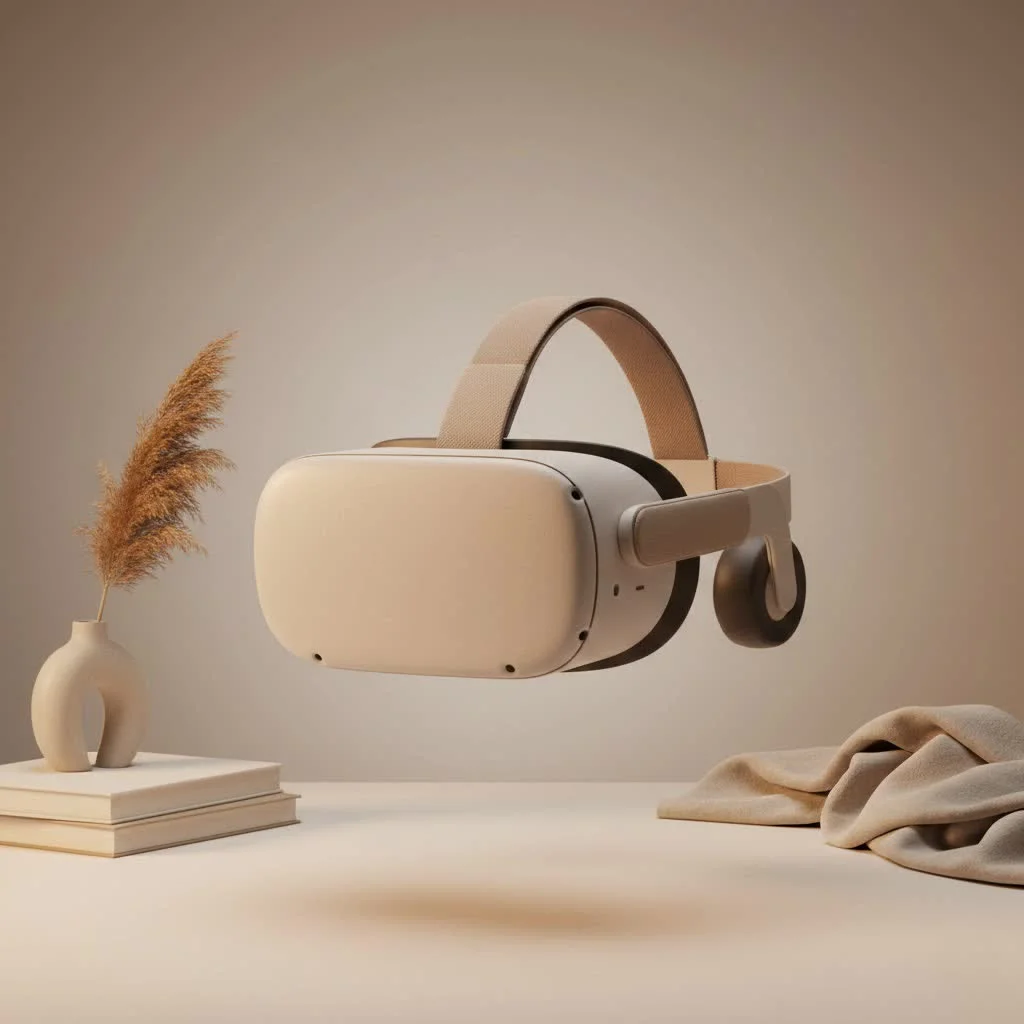
What Exactly is the PlayStation VR2?
The PlayStation VR2 is Sony’s second-generation virtual reality system, designed exclusively for the PlayStation 5 console. It’s a complete redesign built from the ground up to leverage the PS5’s power. Unlike its predecessor, which required a separate camera and multiple cables, the PS VR2 simplifies everything with a single USB-C cable that connects directly to the front of your console. This streamlined setup is the gateway to some of the most advanced features currently available in consumer VR.
Core Features That Redefine Immersion
What makes the PS VR headset stand out in a crowded market? It comes down to a powerful combination of next-generation technology working in harmony to create a believable, engaging experience.
Breathtaking 4K HDR Visuals
The first thing you’ll notice when you put on the headset is the stunning visual clarity. The PS VR2 boasts an OLED display with a resolution of 2000 x 2040 pixels per eye, delivering a true 4K HDR picture. This means deeper blacks, vibrant colors, and a level of detail that makes virtual worlds feel incredibly real. With a smooth 120Hz refresh rate, motion is fluid and comfortable, reducing the risk of motion sickness for many players.
Revolutionary Haptic Feedback
Immersion isn’t just about what you see; it’s also about what you feel. Sony has integrated its advanced haptic technology into every part of the system.
- Headset Haptics: For the first time in a major VR headset, subtle vibrations are built directly into the headband. Imagine feeling the rush of wind as a machine flies past your head or the gentle impact of rain on your visor. It’s a subtle but powerful feature that grounds you in the game world.
- Sense Controllers: The included Sense controllers feature the same adaptive triggers and haptic feedback found in the PS5’s DualSense controller. You can feel the tension of a bowstring, the kick of a firearm, or the texture of an object you’re holding.
Intelligent Eye Tracking and Foveated Rendering
Perhaps the most significant technological leap is the inclusion of eye tracking. Tiny infrared cameras inside the headset monitor where you’re looking. This technology unlocks two major benefits:
- New Gameplay Mechanics: Games can use your gaze as an input. You can select menu items just by looking at them or have in-game characters react to your eye contact.
- Foveated Rendering: This is a clever optimization technique. The headset renders the exact spot you’re looking at in the highest resolution, while slightly reducing the quality of your peripheral vision. Your brain can’t tell the difference, but it frees up the PS5’s processing power to deliver better performance and graphics where it matters most.
“The combination of eye tracking with foveated rendering isn’t just a technical achievement; it’s the key to unlocking a level of graphical fidelity on a console that was previously unimaginable in VR.” – Dr. Evelyn Reed, Virtual Interaction Specialist.
Setting Up Your PS VR Headset
|
Our Picks for the Best VR Headset in 2026
As an Amazon Associate I earn from qualifying purchases.
|
||
| Num | Product | Action |
|---|---|---|
| 1 | Oculus Quest 2 VR Headset 128GB Holiday Set - Advanced All-in-One Virtual Reality Headset Cover Set, White |

|
| 2 | Oculus Quest 2 Advanced All-in-One Virtual Reality Gmaing VR Headset 128GB Set, White |
|
| 3 | FEEBZ 3D VR Headset for Kids 2.0 + Android Remote - for iPhone & Android Phones - with 3D VR Videos & Apps Links - Virtual Reality Goggles Set for Beginners |
|
| 4 | VR Headset for Nintendo Switch 2 (2025), Switch 2 Virtual Reality VR Glasses with Adjustable HD Lenses and Comfortable Head Strap, Labo VR Kit 3D Goggles for Switch 2 Accessories, White&Blue |
|
| 5 | VR Headset for Phone, Virtual Reality Glasses with Bluetooth Headphones for Adults and Kids Play 3D VR Games Movies (White VR Only) |
|
| 6 | DESTEK V5 VR Headset for Kids w/VR Gamepad, 128 Premium VR apps Included, Anti-Blue Eyes Protected HD Lenses, 110° FOV Virtual Reality Headsets for iPhone, Android Phone- Black |
|
| 7 | Meta Quest 2 — Advanced All-In-One Virtual Reality Headset — 256 GB (Renewed) |
|
| 8 | PlayStation VR2 (PSVR2) |
|
| 9 | FEEBZ 3D VR Headset for Kids 2.0 + Android Remote - for iPhone & Android Phones - with 3D VR Videos & Apps Links - Virtual Reality Goggles Set for Beginners |
|
| 10 | PlayStation VR2 Horizon Call of The Mountain™ Bundle (PSVR2) |
|
Gone are the days of complicated VR setups. Sony has made the process incredibly straightforward.
- Connect the Cable: Plug the single USB-C cable from the headset into the USB-C port on the front of your PlayStation 5.
- Pair the Controllers: Turn on your Sense controllers by pressing the PlayStation button. The console will guide you through the pairing process.
- Scan Your Room: The headset’s inside-out cameras will show you a black-and-white view of your surroundings. You’ll use the Sense controller to paint the boundaries of your play area on the floor, walls, and ceiling. This creates a virtual cage, so you don’t accidentally bump into furniture.
- Calibrate Eye Tracking: You’ll be asked to follow a small dot with your eyes. This quick calibration ensures the eye tracking and foveated rendering work perfectly.
- Adjust for Comfort: Use the dials and buttons on the headset to adjust the lens distance and headband fit until the image is sharp and the headset feels secure.
That’s it. The whole process takes just a few minutes, and you’re ready to jump into a game.
What Games Can You Play?
A VR system is only as good as its games, and the PS VR2 launched with a strong lineup that continues to grow. From breathtaking adventures to intense action titles, there’s something for everyone.
- Horizon Call of the Mountain: This is the flagship launch title and a stunning showcase of the headset’s capabilities. You’ll climb towering mountains and fight massive machines in a visually spectacular adventure.
- Gran Turismo 7: The free VR update for Gran Turismo 7 puts you directly in the driver’s seat of over 450 cars. The sense of speed, detail, and immersion is unparalleled and a must-play for racing fans.
- Resident Evil Village: Experience the entire award-winning horror game in VR. The tension and fear are amplified tenfold when you’re physically walking through the terrifying environments.
- Beat Saber: The iconic rhythm music game returns, and it feels better than ever with the precise tracking and haptics of the Sense controllers.
The library is constantly expanding with new titles and VR modes for existing PS5 games, making it a vibrant and growing ecosystem.
Is the PS VR Headset Worth It?
For PlayStation 5 owners who want a premium, easy-to-use virtual reality experience, the PS VR headset is an outstanding choice. It offers modern features like eye tracking and headset haptics that are often reserved for much more expensive PC-based systems. While it requires a significant investment and is tethered to the PS5 by a cable, the quality of the experience is undeniable. It delivers a true next-generation feel that leverages the full power of the console, offering a glimpse into the future of gaming.
Frequently Asked Questions (FAQ)
Do I need a PS5 to use the PS VR2 headset?Yes, the PlayStation VR2 is designed exclusively for and requires a PlayStation 5 console to operate. It is not compatible with the PlayStation 4.
Are my original PSVR games compatible with the PS VR2?No, due to the fundamental differences in tracking technology and controllers, original PSVR games are not directly compatible with the PS VR2. However, some developers have released upgraded versions of their games for the new system.
What is included in the box with the PS VR headset?The standard package includes the PS VR2 headset, two PlayStation VR2 Sense controllers with wrist straps, a USB cable for charging and pairing, and stereo headphones.
How does the PS VR2 compare to a standalone headset like the Meta Quest 3?The main difference is power. The PS VR2 is powered by the PS5, allowing for much higher-fidelity graphics comparable to PC VR. The Quest 3 is a standalone, wireless device that offers great freedom of movement but with graphics closer to a mobile device.
Is the single cable bothersome during gameplay?The cable is long and lightweight, and for most seated or stationary games like racing or flight simulators, it’s barely noticeable. For room-scale games that require a lot of movement, you may occasionally be aware of it, but it’s a significant improvement over previous wired systems.
Your Next Gaming Adventure Awaits
The PS VR headset represents a major step forward for console gaming, offering a level of immersion and technological sophistication that truly feels next-gen. It’s a powerful, well-designed piece of hardware supported by a growing library of incredible games. If you’re ready to see your PlayStation 5 games in a whole new light and step directly into new worlds, it’s time to explore the incredible experience that virtual reality has to offer.
Frequently Asked Questions
Does the PlayStation VR2 require a PS5 console to function?
Yes, the PlayStation VR2 is exclusively designed for and requires a PlayStation 5 console to operate. It is not compatible with the PlayStation 4 due to fundamental differences in hardware and processing power.
Are games from the original PSVR compatible with the new PS VR2 system?
No, original PSVR games are not directly compatible with the PS VR2 due to significant differences in tracking technology and controllers. However, some developers have released upgraded versions or patches for their games to support the new system.
What items are typically included in the standard PS VR2 package?
The standard PS VR2 package includes the PS VR2 headset itself, two PlayStation VR2 Sense controllers with wrist straps, a USB-C cable for charging and pairing, and a set of stereo headphones. This provides everything needed for immediate setup and play.
How does the PS VR2 compare to standalone VR headsets like the Meta Quest 3?
The primary difference lies in processing power; the PS VR2 leverages the PS5 for high-fidelity graphics comparable to PC VR, while the Meta Quest 3 is a standalone, wireless device offering greater freedom but with graphics closer to a mobile device. The PS VR2 offers 2000 x 2040 pixels per eye with 4K HDR visuals.
Is the single connection cable for the PS VR2 disruptive during gameplay?
The PS VR2's single USB-C cable is long and lightweight, making it barely noticeable for most seated or stationary games like racing simulators. While players might occasionally be aware of it during room-scale games requiring extensive movement, it represents a significant improvement over previous multi-cable wired VR systems.
Setting Up Your PS VR Headset
Follow these simple steps to quickly set up your PlayStation VR2 headset and dive into virtual reality gaming.
Plug the single USB-C cable from the PS VR2 headset directly into the USB-C port located on the front of your PlayStation 5 console. This is the only physical connection required for the headset.
Turn on your PlayStation VR2 Sense controllers by pressing the PlayStation button on each. Your PS5 console will then guide you through the quick and easy pairing process for both controllers.
Using the headset's inside-out cameras, you'll see a black-and-white view of your surroundings. Use a Sense controller to 'paint' the boundaries of your safe play area on the floor, walls, and ceiling, creating a virtual cage to prevent accidental collisions.
The system will prompt you to follow a small dot with your eyes. This brief calibration ensures that the advanced eye tracking and foveated rendering technologies function optimally for the best visual experience.
Utilize the dials and buttons on the headset to adjust the lens distance (IPD) and headband fit. Continue adjusting until the virtual image appears sharp and clear, and the headset feels secure and comfortable on your head.
Get our weekly buyer guide
Practical specs, not advice. Unsubscribe anytime.

I’ve been waiting for a true next-gen VR experience for my PS5, and the PS VR2 delivers! The eye tracking is a game changer for immersion, and the headset haptics really add to the feeling of being in the game. Setup was super easy with just that one USB-C cable, which was a huge relief after dealing with the original PS VR’s mess of wires. Highly recommend it to any PS5 owner.
This headset is incredible! The jump from the original PS VR to the PS VR2 is massive. The clarity and field of view make such a difference, and the haptic feedback in the controllers and headset really pulls you into the game world. It’s a premium experience that truly feels like it was built from the ground up for the PS5. Worth every penny for serious gamers.
The PS VR2 is definitely a step up from the first one. The visual fidelity is amazing, and it really leverages the PS5’s power. I was a bit worried about comfort for longer sessions, but it’s surprisingly light and well-balanced. My only minor gripe is that I wish there were more exclusive titles available right now, but I know that’ll come with time.
I picked up the PS VR2 after reading about the simplified setup with the single USB-C cable, and that part is great. However, I’m finding the sweet spot for clarity a bit hard to consistently maintain, and sometimes the motion tracking feels a little off in fast-paced games. It’s good, but not quite the flawless experience I was hoping for given the price.