Welcome to the immersive world of virtual reality, a frontier where digital landscapes feel as real as the room you’re standing in. At the forefront of this revolution is the HTC Vive VR headset, a name that has become synonymous with high-fidelity, room-scale virtual experiences. If you’ve ever dreamed of walking through alien worlds, creating 3D art in thin air, or engaging in heart-pounding games where your body is the controller, the Vive is your gateway. As pioneers in the VR space, we at MNWFC have spent years testing and analyzing every aspect of this technology, and this guide is your comprehensive resource for everything you need to know.
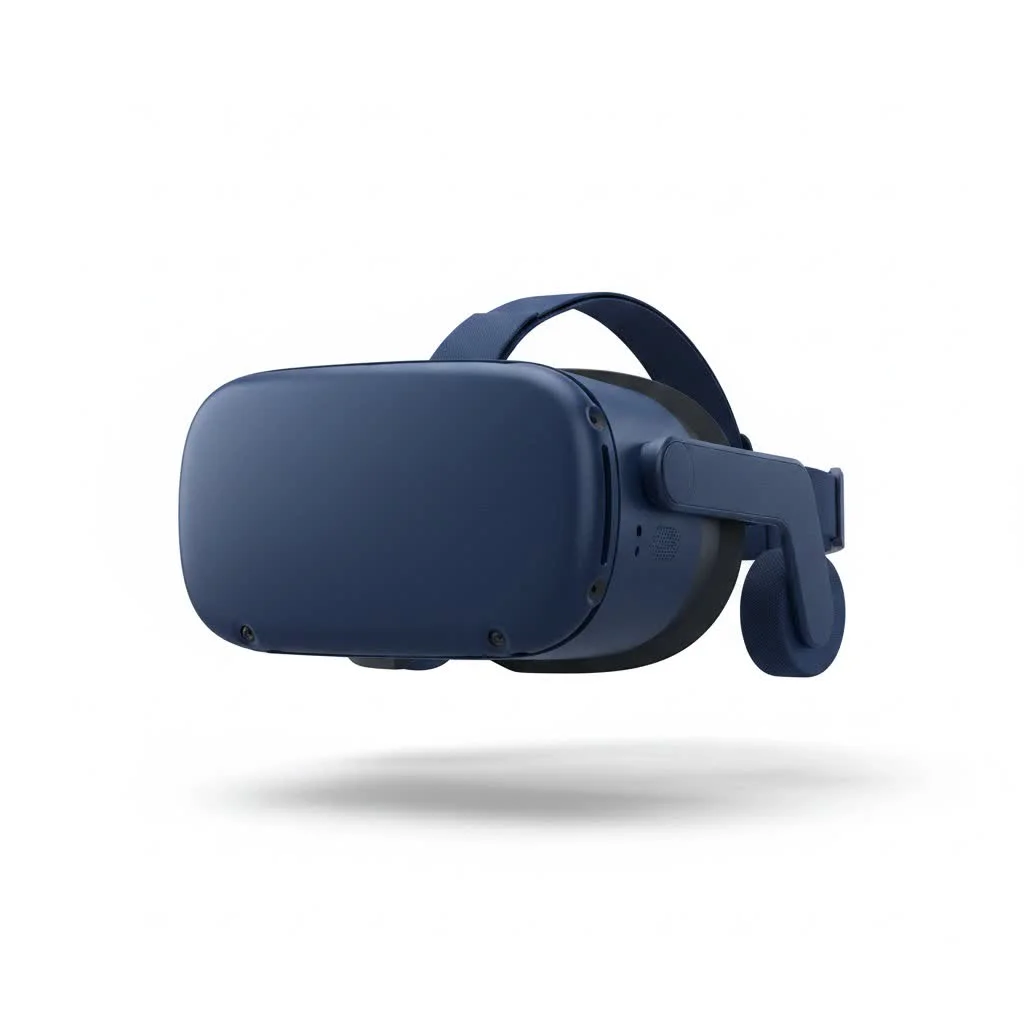
The HTC Vive isn’t just another piece of tech; it’s a complete system designed to transport your senses. Unlike more basic headsets that only track your head movements, the Vive was built from the ground up to create a “holodeck-like” experience, allowing you to physically walk around and interact with a virtual environment. This groundbreaking approach has set the standard for immersive VR and continues to be a benchmark for enthusiasts and developers alike.
What Makes the HTC Vive Special?
The secret to the Vive’s magic lies in its “room-scale” tracking technology. So, how does it work? The system uses two external base stations, often called “Lighthouses,” that you place at opposite corners of your room. These stations emit invisible light signals that are picked up by dozens of sensors on the headset and controllers. By triangulating the position of these sensors in real-time, the Vive can track your every movement—walking, ducking, jumping, and reaching—with incredible precision within a designated play area.
This technology creates a profound sense of presence, tricking your brain into believing you are truly in the virtual world. When you see a virtual object on the floor and physically bend down to pick it up with a motion controller, the experience is far more convincing than simply pressing a button on a gamepad. It’s this ability to physically engage with the digital world that sets the HTC Vive VR headset apart.
Another key feature is the Chaperone system. This ingenious safety feature displays a faint, glowing grid in your virtual view whenever you get too close to the real-world boundaries of your play area. It’s a smart solution that prevents you from bumping into furniture or walls, giving you the confidence to move freely and immerse yourself completely without fear.
Exploring the HTC Vive Family
Since the original’s debut, HTC has expanded its lineup to cater to different needs, from casual users to enterprise professionals. Understanding the key models is crucial to finding the right fit for you.
HTC Vive (The Original)
|
Our Picks for the Best VR Headset in 2026
As an Amazon Associate I earn from qualifying purchases.
|
||
| Num | Product | Action |
|---|---|---|
| 1 | VR Headset for Nintendo Switch 2 (2025), Switch 2 Virtual Reality VR Glasses with Adjustable HD Lenses and Comfortable Head Strap, Labo VR Kit 3D Goggles for Switch 2 Accessories, White&Blue |

|
| 2 | FEEBZ 3D VR Headset for Kids 2.0 + Android Remote - for iPhone & Android Phones - with 3D VR Videos & Apps Links - Virtual Reality Goggles Set for Beginners |
|
| 3 | FEEBZ 3D VR Headset for Kids 2.0 + Android Remote - for iPhone & Android Phones - with 3D VR Videos & Apps Links - Virtual Reality Goggles Set for Beginners |
|
| 4 | Oculus Quest 2 Advanced All-in-One Virtual Reality Gmaing VR Headset 128GB Set, White |
|
| 5 | PlayStation VR2 Horizon Call of The Mountain™ Bundle (PSVR2) |
|
| 6 | VR Headset for Phone, Virtual Reality Glasses with Bluetooth Headphones for Adults and Kids Play 3D VR Games Movies (White VR Only) |
|
| 7 | Meta Quest 2 — Advanced All-In-One Virtual Reality Headset — 256 GB (Renewed) |
|
| 8 | DESTEK V5 VR Headset for Kids w/VR Gamepad, 128 Premium VR apps Included, Anti-Blue Eyes Protected HD Lenses, 110° FOV Virtual Reality Headsets for iPhone, Android Phone- Black |
|
| 9 | PlayStation VR2 (PSVR2) |
|
| 10 | Oculus Quest 2 VR Headset 128GB Holiday Set - Advanced All-in-One Virtual Reality Headset Cover Set, White |
|
The headset that started it all. The original Vive introduced the world to consumer-grade room-scale VR. While it has been succeeded by newer models, it laid the foundation with its robust tracking, intuitive wand controllers, and a strong content library through SteamVR. It established the core experience that all subsequent high-end VR systems have built upon.
HTC Vive Pro Series
Aimed at prosumers and enterprise users, the Vive Pro offered significant upgrades over the original. Key improvements include:
- Higher Resolution Display: Sharper visuals with reduced “screen-door effect” (the visible grid of pixels).
- Integrated Audio: Built-in headphones provide a more convenient and immersive sound experience.
- Enhanced Ergonomics: A redesigned head strap offers better balance and comfort for longer sessions.
The Vive Pro 2 pushed this further with a stunning 5K resolution display, making it a top choice for professionals who demand the highest visual fidelity for simulations, design, and detailed virtual work.
HTC Vive Cosmos Series
The Cosmos was HTC’s attempt to create a more user-friendly system by introducing inside-out tracking. This design uses cameras on the headset itself to track the environment and controllers, eliminating the need for external base stations. While this simplifies setup, the initial tracking was less reliable than the Lighthouse system. HTC later released an “Elite” version that could be used with the original base stations, offering users the best of both worlds.
HTC Vive Focus and XR Elite
These models represent HTC’s move into the standalone VR market, competing with devices like the Meta Quest. The Vive Focus is primarily an all-in-one headset for enterprise, while the XR Elite is a powerful, lightweight, and modular headset for both consumers and professionals. It can be used as a standalone device or connected to a PC for more demanding experiences, offering incredible versatility.
As VR technology analyst Dr. Alistair Croft notes, “The evolution of the HTC Vive series showcases a clear journey from enthusiast-grade, tethered VR to more versatile and accessible formats. While the core promise of high-fidelity immersion remains, the hardware has adapted to meet a broader range of user expectations, from simplified setups to standalone capabilities.”
What Do I Need to Run an HTC Vive VR Headset?
Running a PC-powered HTC Vive requires a capable gaming computer. While the exact specifications vary by headset model (the Vive Pro 2 requires more power than the original), you’ll generally need:
- A Powerful Graphics Card (GPU): This is the most critical component. Think NVIDIA GeForce GTX 10-series / RTX series or AMD Radeon RX 500-series or newer.
- A Modern Processor (CPU): A recent Intel Core i5/i7 or AMD Ryzen 5/7 processor is recommended.
- Sufficient RAM: 8GB is the minimum, but 16GB or more is ideal for a smooth experience.
- The Right Ports: You’ll need an available DisplayPort (or HDMI on older models) and USB 3.0 ports on your computer.
- Space: For room-scale VR, you need a clear area. A minimum of 6.5 x 5 feet is recommended, but a larger space provides a much better experience.
The setup process, especially for base station models, is more involved than plug-and-play consoles. You’ll need to mount the base stations, connect a link box between the headset and your PC, and run software to define your play area. While it takes about 30 minutes, the payoff is an unparalleled level of immersion.
Beyond Gaming: What Can You Do with a Vive?
While gaming is a major draw, the applications for an HTC Vive VR headset extend far beyond entertainment. It has become a powerful tool across numerous industries:
- Creative Arts: Apps like Tilt Brush allow you to paint and sculpt in three-dimensional space, creating masterpieces that you can walk around and through.
- Education and Training: Medical students can perform virtual surgery, pilots can practice emergency procedures, and architects can walk through their building designs before a single brick is laid.
- Fitness: VR fitness is a booming genre, with apps that make workouts feel like playing a game, from boxing and dancing to sword fighting.
- Social and Collaboration: Platforms like VRChat and Engage allow you to meet and interact with people from around the world in virtual spaces, attend meetings, or watch movies together.
- Virtual Tourism: Explore the ruins of Machu Picchu, walk the streets of Tokyo, or stand on the surface of Mars, all from the comfort of your living room.
Frequently Asked Questions (FAQ)
What is the difference between HTC Vive and Meta Quest?
The main difference lies in their core design. The HTC Vive (PC-tethered models) relies on a powerful computer to deliver high-fidelity, room-scale experiences tracked by external base stations. The Meta Quest is a standalone headset with its own processor and inside-out tracking, offering a wireless, more accessible experience, though with less graphical power than a PC-based system.
Can I wear glasses with the HTC Vive headset?
Yes, most Vive models are designed to accommodate glasses. The headset has space, and you can adjust the lens distance to ensure a comfortable and clear view. For the best experience, however, some users opt for custom prescription lens inserts.
Do I need external base stations for all Vive models?
No. While the original Vive and Vive Pro series require external base stations for their superior tracking, the Vive Cosmos uses inside-out tracking, and the Vive XR Elite operates as a standalone device without them. However, you can often add base stations to these newer models for enhanced tracking precision.
Is the HTC Vive good for fitness?
Absolutely. The Vive’s accurate room-scale tracking makes it excellent for active experiences. Games that require you to move, dodge, and swing your arms provide a surprisingly effective workout. There is a wide range of dedicated fitness apps available on the SteamVR platform.
What is SteamVR?
SteamVR is the software platform developed by Valve that powers the HTC Vive and many other PC VR headsets. It’s where you buy and launch games and experiences, manage your settings, and interact with the VR environment. It serves as the bridge between your headset and your computer.
Your Journey into Virtual Reality Starts Here
The HTC Vive VR headset remains a pillar of the virtual reality landscape, offering an experience that is deeply immersive and powerfully interactive. Whether you’re a hardcore gamer seeking the ultimate competitive edge, a creative professional exploring new mediums, or simply a curious adventurer ready to step into new worlds, the Vive family has an option for you. It demands space, a powerful PC, and an investment of time, but the reward is an experience that truly feels like stepping into the future. By understanding its technology, its evolution, and its vast potential, you are now equipped to make an informed decision and begin your own incredible journey into the metaverse.
Get our weekly buyer guide
Practical specs, not advice. Unsubscribe anytime.
